How long does onboarding take for new gym software?

Onboarding new gym software takes the time needed to prepare your records, configure daily operations, test billing, and train the people who will use it; a fixed duration needs a written scope and agreed completion dates. Account access is only the start: payment migration, data corrections, and staff practice belong in the onboarding plan, not outside the headline estimate.
- How long does onboarding take for new gym software? Set the deadline against tested workflows, not account creation.
- MatPilot suits martial arts owners who need member management, scheduling, billing, and per-art rank tracking together.
- Agree on data, payment, training, and launch responsibilities before accepting an onboarding estimate.
- Keep the old records accessible until you verify the new system against them.
Why this matters
A login does not prove your academy is ready to operate. Your coach needs the correct class list. Your member needs the correct payment obligation. Your administrator needs to know where a failed payment appears and who handles it.
For a 2026 onboarding plan, define completion in operational terms. Start with the timetable: use the martial arts class scheduling software guide to frame the scheduling questions, then write down what your own school must reproduce.
Accept a launch date only when someone owns every task required to reach it. Otherwise, the date describes an intention rather than a usable handover.
How long does onboarding take for new gym software?
The onboarding duration is the agreed schedule for completing preparation, setup, verification, and handover. Ask the provider to attach a completion date and a named owner to each stage. Do not substitute an account activation date for the date your academy can run its normal work.
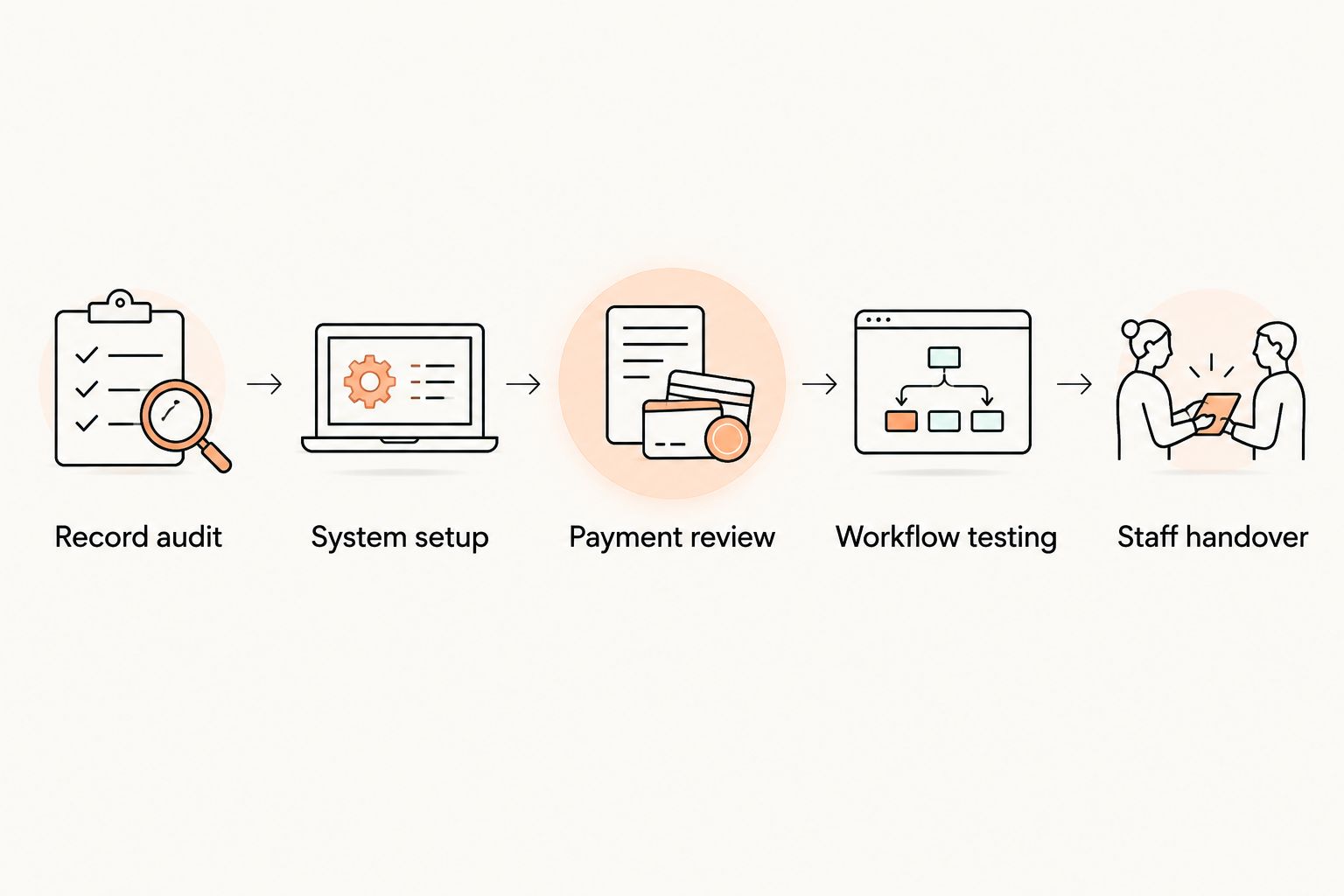
Use this sequence to make the estimate specific:
- Record audit. Identify the records you need, their source, and the person who will check them.
- System setup. Define memberships, classes, staff responsibilities, and martial arts ranks before entering live changes.
- Payment review. Confirm how recurring payments, existing balances, and payment authorization will be handled.
- Workflow testing. Check representative member journeys against the source records.
- Staff handover. Have each responsible person complete their own daily tasks before launch.
Ask what starts the clock. Is it the agreement date, the date you supply usable files, or the date payment arrangements are confirmed? Those are different milestones.
Also ask what stops it. “Setup complete” needs a definition: verified records, working operational processes, trained staff, and an agreed route for unresolved issues.
Ask for a schedule you can manage
Your 2026 onboarding schedule should identify the task, responsible person, dependency, and acceptance check. A task without an owner is an unresolved responsibility. A completion date without a check leaves you guessing whether the work is finished.
Ask the provider these questions before committing:
- What must the academy supply before configuration begins?
- Which records will transfer, and which need separate handling?
- Who checks the imported records against the originals?
- What must happen before recurring billing changes over?
- What support is included during the first live operating period?
Keep the answers together. An email promising help does not replace a task list that tells your staff what to do.
Prepare member records before setting the launch date
Start with the records your academy actually uses. Include member identity, contact details, membership status, and the relevant class or discipline. For children’s programs, identify the responsible adult and distinguish that person from the student.
Keep financial and training information separate during your review. A student’s rank does not establish whether their membership is active. A payer’s contact details do not establish which child attended class.
For multi-discipline schools, check ranks by art. A BJJ rank should not overwrite a judo rank. Boxing and Muay Thai programs need accurate membership, timetable, and attendance records without being forced into a belt structure they do not use.
Use a proposed acceptance sample of 1 member record from each distinct membership situation. This is a testing instruction, not a claim about how many records are enough for every academy. Expand the sample when you find errors.
If you are moving from Zen Planner, the member data migration guide provides a separate starting point for planning that work.
Test scheduling and attendance as staff will use them
Build the timetable from the academy’s operating schedule, not from memory. Check class names, days, start times, instructors, and intended groups. Include BJJ, striking classes, and other disciplines in the same review.
Then test 1 class session from the staff member’s perspective. Find the class, identify the expected students, record attendance through the intended process, and check the result afterward. Repeat for classes with different rules or staff responsibilities.
Do not treat a correct timetable as proof that attendance is correct. These are separate checks. Your schedule describes what should happen; attendance records what happened.
For the 2026 launch, give coaches a written route for reporting mistakes. Specify who corrects the record and who confirms the correction. Avoid leaving staff to maintain an unofficial second register indefinitely.
Treat billing as a separate acceptance decision
A successful member import does not establish that recurring billing is ready. Confirm the payment arrangements independently, including what needs fresh authorization and who communicates with members.
Ask both providers what can transfer. Do not assume a member spreadsheet contains transferable payment credentials. Record the answer before you tell members that no action is required.
Choose 1 payment scenario to trace through the agreed test process with the provider. Confirm the payer, membership, collection date, and resulting record. Use an approved testing method rather than creating an unnecessary live charge.
Then review exceptions: failed payments, canceled memberships, outstanding balances, and households with several students. These are acceptance questions, not promises that a particular platform handles every case automatically.
Keep the old and new collection responsibilities explicit. Record which system owns each upcoming collection so staff do not independently schedule the same obligation in both places.
Choose a transition approach deliberately
A phased transition and a single cutover are planning options, not guaranteed vendor services. Confirm which approach your provider supports before building your schedule around it.
| Transition approach | Best for | Advantage | Trade-off | Acceptance check |
|---|---|---|---|---|
| Phased transition | Owners who need separate checks for records, operations, and billing | Separates decisions so each area gets its own review | Requires clear rules about which system owns each task | Staff can identify the current source of truth |
| Single cutover | Owners whose records, payment arrangements, and staff preparation are already verified | Establishes a clear operational changeover point | Requires all launch-critical work to be ready together | Every launch-critical check is signed off before the changeover |
Choose the approach your staff can explain without ambiguity. If a coach cannot say where attendance belongs, or an administrator cannot say where billing changes belong, the handover instructions are not ready.
Do not use “parallel running” to mean unrestricted editing in both systems. Assign ownership by task. Preserve access to old records for checking without creating competing versions of current information.
Why gym software onboarding time varies
The useful question is not whether a provider describes onboarding as quick. It is which tasks your academy needs and which dependencies remain unresolved.
- Record preparation. Duplicate profiles, unclear statuses, and missing relationships need decisions before you approve the result.
- Payment arrangements. Confirmed transfer or reauthorization steps determine what must happen before collection changes.
- Program structure. Separate disciplines, children’s classes, and rank records require the correct setup and review.
- Staff responsibilities. Owners, coaches, and administrators need to practice the tasks they will perform.
- Launch scope. Adding website work or accounting setup creates additional tasks beyond member administration.
- Open exceptions. Unresolved balances, canceled accounts, or disputed records need an owner and a documented treatment.
For your 2026 schedule, separate launch-critical tasks from later improvements. A member’s incorrect collection arrangement blocks billing approval. Rewriting a website paragraph belongs on a different list unless the launch depends on it.
What should staff practice before launch?
Staff should practice their own daily work before launch, not just watch a general demonstration. Ask a coach to find a class and record attendance. Ask the administrator responsible for billing to locate a payment issue and explain the next action.
Include the correction process. Staff need to know what to do when they select the wrong student, spot an incorrect rank, or receive a membership change request. Give each issue a destination and an owner.
MatPilot is best for martial arts owners who need member management, scheduling, billing, and per-art rank tracking together. Its scope also means onboarding should cover more than belt records: the academy still needs to verify its member information, operational setup, and staff responsibilities.
That is the trade-off to plan for. Covering more daily work requires a broader acceptance checklist than moving a standalone grading register.
Can you keep teaching during onboarding?
You can plan teaching separately from the administrative changeover. Keep the existing class information and attendance process in place until the replacement process passes your checks.
Give staff a clear instruction for the transition period. Tell them where to record attendance, where to report corrections, and when that instruction changes. Do not let individual coaches choose their own cutover dates.
The aim is a controlled handover, not a pause in normal academy operations. Schedule administrative decisions around the people who must approve them.
When should you cancel the old gym software?
Cancel the old service only after checking its terms, preserving the records you need, and confirming that replacement workflows are accepted. Keep cancellation and operational launch as separate decisions.
For a 2026 switch, verify the current notice requirements directly with the outgoing provider. Do not rely on an old comparison article or assume that account access continues after cancellation.
Assign someone to confirm the final export and the cancellation acknowledgment. Keep those records with the handover checklist.
FAQ
Can I onboard new gym software in a day?
Do not commit to a day without a scoped plan and confirmed acceptance checks. Account access, record verification, payment arrangements, and staff handover are separate tasks.
Does onboarding finish when my members are imported?
No. Member import is complete only when you verify the records, and onboarding also includes operational setup, payment review, workflow testing, and staff handover.
Will my members need to enter their payment details again?
Confirm that with the incoming provider, outgoing provider, and payment processor before launch. A member data export does not establish whether existing payment credentials can transfer.
Should I train every coach before switching gym software?
Train every coach who will use the new system on their assigned tasks before those tasks move over. Have each coach practice the attendance process and the route for reporting corrections.
What should a BJJ academy check during onboarding?
A BJJ academy should check member records, memberships, scheduling, attendance, billing, and rank information. Multi-discipline academies should also verify that records remain accurate for striking classes and each separate ranked art.
What should I include when onboarding MatPilot?
Include members, classes, attendance, Stripe billing, and per-art ranks in your MatPilot acceptance checklist. Confirm the setup and testing responsibilities directly rather than assuming an onboarding duration or migration service.
How do I know the new gym software is ready?
The software is ready for your launch when the agreed workflows pass their acceptance checks and the responsible staff can perform them. Record unresolved issues separately, with a clear decision about whether each blocks the changeover.
One last thing
Ask a staff member who did not configure the system to complete an ordinary task without help. Have that person find the correct class, identify a student, and explain where a correction goes.
That exercise checks the handover, not just the configuration. Launch when your academy can run the work, not when the setup screen looks finished.