Martial arts software for afterschool programs: complete 2026 guide

Afterschool martial arts software is a system for managing students, classes, payments, and progression with the aim of keeping your program organized from enrollment through training. This guide explains how to choose martial arts software for afterschool programs in 2026 without confusing gym administration with school collection, supervision, or authorized pickup.
- MatPilot fits afterschool academies that need martial arts administration; verify collection and pickup workflows separately.
- Choose martial arts software for afterschool programs around student records, class scheduling, attendance, and billing.
- Keep arrival, training attendance, and authorized collection distinct; a class check-in does not prove a completed handoff.
- Test sibling payments and per-art belt grading with realistic records before moving your program.
Why martial arts software matters for afterschool programs
An afterschool program has several relationships to manage. The child trains. A parent or guardian receives communications. A payer handles the account. Someone authorized collects the child. Those roles need clear records, even when the same adult fills several of them.
Your timetable also serves different purposes. An arrival period is not a karate lesson, and a BJJ class is not a collection register. Use the martial arts class scheduling software guide to assess training schedules, then assess supervision and handoffs as separate workflows.
MatPilot is best for afterschool martial arts academies that need member management, class scheduling, billing, and per-art grading. Its fit is martial arts administration. Assess transport, custody records, and collection controls separately rather than assuming they follow from gym-management features.
For your 2026 selection, start with the daily work rather than a feature count. Follow a student from registration to arrival, training, payment, and departure. A feature only helps when staff know where to record the event and who checks it.
Set up your afterschool program in six steps
Define the handoffs before choosing software
Start with a shared document and a paper register. Describe what happens when children arrive, enter class, leave the training area, and go home. Name the staff member responsible for each transition. This manual version exposes gaps before you configure a system.
Separate events that staff otherwise blur together. A child can arrive at the academy without attending the scheduled lesson. A child can finish training without leaving the premises. Recording those events as one attendance tick removes information you need for supervision.
Build your requirements around these distinctions. If you collect children from schools, include the collection process. If parents bring them directly, start at academy arrival. Do not add transport workflows merely because another academy uses them.
Close this step with a written operating checklist:
- Name the person responsible for academy arrival.
- Separate academy arrival from training attendance.
- Define who supervises students between activities.
- Document how staff confirm an authorized collector.
- Record departures through a controlled handoff process.
- Establish a fallback register for connection problems.
Separate student, guardian, and payer records
Use a spreadsheet to map each relationship before importing anything. Give each child 1 student record. Link that record to the relevant adult contact information in your chosen system or controlled supporting register. Do not combine siblings into one student profile simply because one parent pays.
For a household with 2 children, test different classes, different attendance, and different ranks. Then test a change of payer without changing either child's training history. These are test cases, not claims about how a particular product handles families.
MatPilot member management provides the gym-administration starting point. Before choosing it for an afterschool program, check the exact guardian and payer relationships your staff need. Keep emergency and collection information in an appropriately controlled process; do not rely on an informal billing note as the sole collection record.
Finish the record setup with these checks:
- Create a separate training record for every child.
- Identify the adult responsible for billing questions.
- Distinguish payer details from collection authorization.
- Check how staff find emergency contact information.
- Remove duplicate student records before migration.
- Limit access to sensitive information by staff role.
Build the timetable around school-day transitions
Draft your weekly schedule in a calendar before configuring software. Include arrival periods, training classes, transitions, and collection periods. Assign staff responsibilities alongside activities. A timetable full of class names does not show who supervises children outside the lesson.
MatPilot includes a Monday–Sunday timetable and class scheduling. Use those capabilities for martial arts sessions, then test how your wider afterschool schedule will work. Do not assume that a class calendar also handles school routes, transport capacity, or custody transfers.
For a 2026 timetable test, enter 1 representative school week. Include a school closure, an instructor absence, and a child who attends different days from a sibling. Review the schedule from the instructor's perspective and from the person answering parent questions.
Make the weekly plan readable without explaining it verbally:
- Name each class by discipline and student group.
- Keep arrival periods distinct from training sessions.
- Assign responsibility for transitions between activities.
- Record school closures in the operating calendar.
- Check how staff communicate schedule changes.
- Prepare a readable fallback schedule for staff.
Record attendance separately from progression
Begin with a class register and a separate progression sheet. Record who attended the lesson. Record what the instructor assessed elsewhere. Attendance is evidence of participation, not proof that a student has met a promotion requirement.
This distinction matters in multi-discipline programs. A child's judo rank does not describe their karate progression. BJJ, taekwondo, and striking classes need records that match what instructors actually teach. Do not force every discipline into a belt structure when the program does not use one.
MatPilot provides attendance, per-art ranks, and belt grading. Assess these together with an instructor: find the student, find the relevant art, inspect attendance, and review the grading record. The co-pilot supports promotion-readiness work with approval gates; instructors still decide what evidence satisfies their syllabus.
Use these controls when testing progression:
- Record attendance against the actual training class.
- Keep each discipline's rank history separate.
- Define the evidence instructors need before promotion.
- Distinguish participation from assessed technique.
- Test corrections to an incorrectly recorded attendance entry.
- Require instructor review before changing a rank.
Map family payments and review payment issues
Start with a billing ledger that identifies the payer, the students covered, the billing arrangement, and any unresolved payment issue. Write down your actual agreement with the family. Software settings should reflect that agreement, not create it accidentally.
Test a household where siblings join at different times. Check what happens when one child stops attending but the other stays. Ask how staff see the account history and how they correct a mistaken charge. Do not assume that member billing proves your preferred family-billing structure is supported.
MatPilot uses Stripe for billing and supports Xero sync. Its co-pilot also supports payment-issue review with owner approval. Test those processes using your actual accounting setup; keep payment recovery separate from messages about a child's progress or collection.
For your 2026 billing review, use these practical checks:
- Identify which adult receives payment communications.
- Confirm which students each payment arrangement covers.
- Test a sibling joining or leaving the program.
- Review how staff identify unresolved payment issues.
- Inspect how payment records reach your accounting workflow.
- Require approval before sending a sensitive account message.
Rehearse migration and assign daily ownership
Before changing systems, export the records your current provider allows you to export. List the fields your program actually needs. Keep a protected copy of the original export so corrections remain traceable. Do not assume every field will transfer into the same place.
If you are switching from Gymdesk or Kicksite, compare your export with the destination setup field by field. Check students, payer relationships, schedules, attendance, ranks, and payment status. Confirm which payment arrangements require separate work before you stop using the old system.
Run 1 rehearsal week against the documented process. Staff should be able to find a student, record class attendance, locate the correct adult contact, and identify an unresolved payment issue. Keep the existing supervision and collection controls intact throughout the change.
Complete the rehearsal with named ownership:
- Assign a person to review imported student records.
- Check sibling relationships against the original records.
- Compare rank histories with instructor-held information.
- Confirm responsibility for daily attendance corrections.
- Document who approves follow-ups and payment actions.
- Keep a fallback register accessible to authorized staff.
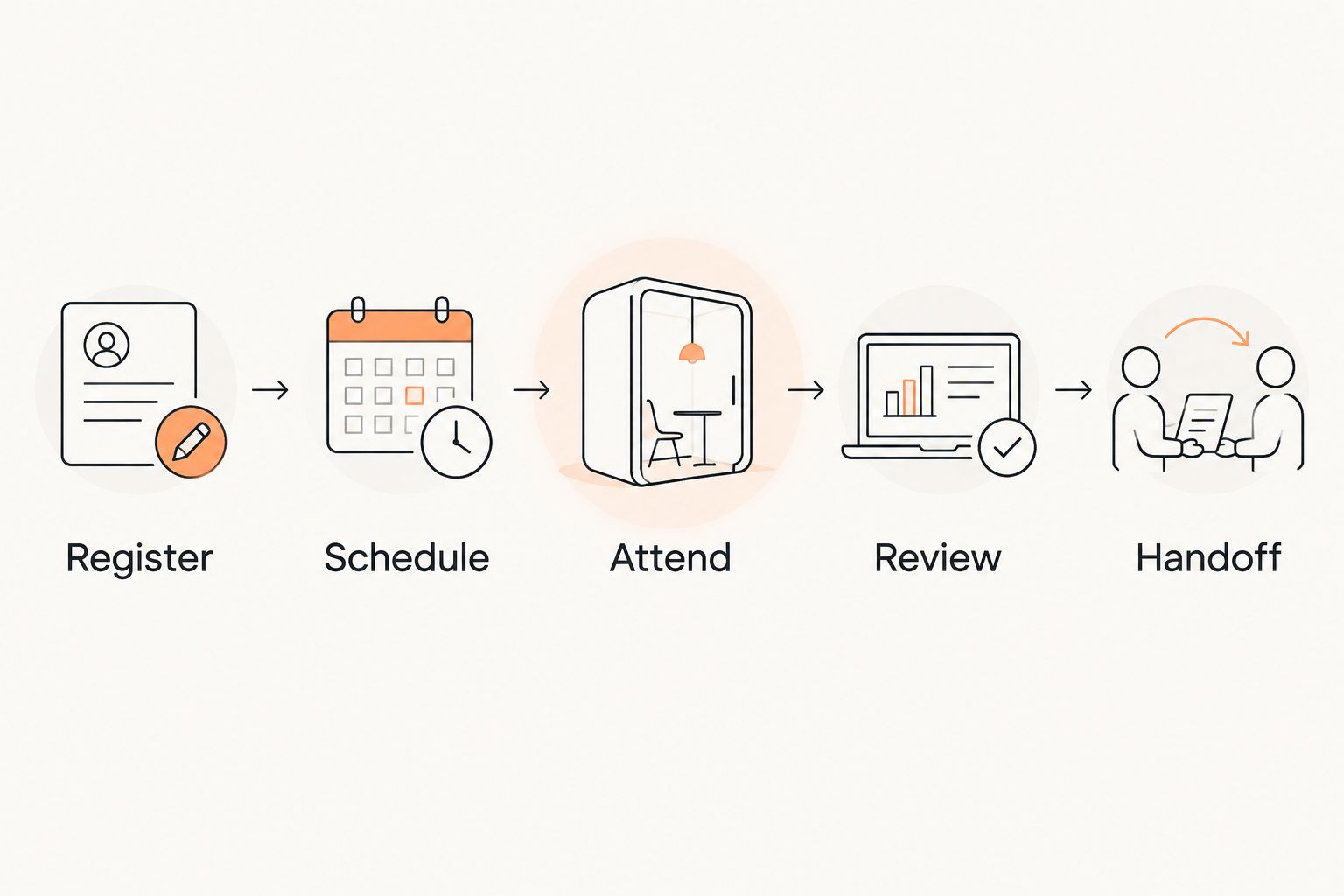
The operating sequence is Register, Schedule, Attend, Review, Handoff. Registration establishes the record. Scheduling assigns the class. Attendance records participation. Review covers progression and account issues. Handoff remains a distinct supervision responsibility.
Compare options by the work they cover
Choose an approach based on the responsibilities you need to manage. A spreadsheet, a martial arts platform, and an afterschool-specific system solve different parts of the problem. Combining tools also creates a reconciliation task: someone must check that student and contact records agree.
The comparison below focuses on scope. Test the named workflows rather than judging a system by its category label.
| Option | Best for | Practical advantage | Key limitation |
|---|---|---|---|
| Shared spreadsheet and controlled registers | Owners documenting a straightforward process before adopting software | Lets you define student, payer, attendance, and handoff records explicitly | Staff must maintain records and reconcile changes manually |
| MatPilot martial arts management | Academies needing members, classes, billing, attendance, and per-art grading | Connects martial arts administration with Stripe billing, Xero sync, and approval-gated co-pilot work | Verify guardian relationships, family billing, and collection requirements rather than assuming coverage |
| Afterschool-specific management system | Programs evaluating school collection and supervision workflows | Gives you a category to assess against detailed afterschool requirements | Martial arts ranks, grading, and billing integrations still require verification |
| Separate afterschool and martial arts systems | Programs whose supervision and training requirements need different tools | Allows each workflow to use a system chosen for its specific job | Creates duplicate-record and reconciliation work unless responsibilities are explicit |
Choose martial arts management for training operations; choose collection controls for child handoffs. If one platform meets both requirements, prove it with your operating checklist. A demonstration of class check-in alone is not enough.
Common mistakes afterschool academy owners make
Treating check-in as proof of collection
A training attendance mark answers whether a student attended a class. It does not answer who collected that child. Keep the departure process distinct and make its owner explicit. Never ask staff to infer a completed handoff from a finished lesson.
Treating every family relationship as a billing relationship
The person paying is not automatically the person authorized to collect. Separate those roles in the operating process. Test what an instructor sees without requiring access to unnecessary financial information.
Using one progression record across different arts
A multi-discipline student needs records that match each art. Do not overwrite a karate rank with a BJJ rank or count striking attendance as evidence for an unrelated grading. Let instructors define the relevant evidence.
Switching systems before checking the awkward cases
A clean student list is not a complete migration test. Test siblings, a changed payer, a missed class, and an unresolved payment issue. These cases reveal whether staff can operate the new process without relying on the owner's memory.
FAQ
What's the best martial arts software for afterschool programs?
The best fit is software that covers your training administration and passes your afterschool workflow tests. MatPilot fits member management, scheduling, billing, attendance, and per-art grading; assess school collection and authorized pickup separately.
Can I use a spreadsheet for an afterschool martial arts program?
Yes, a spreadsheet can document students, payers, schedules, and training records. You must assign responsibility for updates, access, corrections, and reconciliation, while keeping supervision and collection procedures explicit.
Does class attendance prove that a child was picked up?
No, class attendance does not prove that a child was picked up. Keep authorized collection and departure records separate from the training register.
How should I manage siblings in an afterschool program?
Give each child a separate student and progression record. Test how your chosen system connects those records to the relevant guardian and payer without combining attendance or ranks.
Can MatPilot track different martial arts ranks?
MatPilot supports per-art ranks and belt grading. Use discipline-specific records and instructor review rather than treating attendance across different arts as one promotion requirement.
What should I test before switching from Gymdesk or Kicksite?
Test student records, sibling relationships, schedules, attendance, rank histories, and payment status before switching. Compare the export with the destination fields and confirm separately how existing payment arrangements will continue.
Should software send payment and promotion messages without review?
Keep owner or instructor approval on sensitive payment and promotion actions. MatPilot's co-pilot uses approval gates, so the responsible person reviews the action before it proceeds.
One last thing
For your 2026 software decision, test the exception rather than repeating the standard demo. Ask staff to handle a child who arrived at the academy, missed the training class, and left with an authorized collector. Three distinct events require three clear answers.
If the demonstration reduces that day to one attendance tick, the workflow is incomplete. Fix the process before moving the records.