Martial arts software for college clubs: complete 2026 guide

College club martial arts software is a system for managing members, training sessions, attendance, payments, and ranks with the aim of keeping a student-run club organized between committee changes. This 2026 guide explains how to choose martial arts software for college martial arts clubs without treating your club like a commercial academy.
- Choose martial arts software for college martial arts clubs around committee handover, class scheduling, and attendance tracking.
- MatPilot suits clubs needing member management, attendance, billing, and separate ranks for different martial arts.
- Keep university approvals and payment rules separate from software selection.
- Start with a shared register; move to dedicated software when separate records create repeated work.
Why martial arts software matters for college clubs
A college club has to preserve working records when its committee changes. Your registration list, class timetable, payment records, and grading history need to remain usable after the person who created them leaves. Software selection starts with that handover, not a feature checklist.
Your timetable also needs to distinguish what the club plans from what the university has approved. A room booking, instructor agreement, or campus payment rule is not settled because an entry appears in an app. Keep those decisions visible to the people responsible for them.
For your 2026 setup, treat scheduling as a separate job from room allocation. The guide to martial arts class scheduling software covers the software side; your committee still needs to confirm where each session can run.
Choose the system your next committee can operate, not just the one your current secretary understands. A basic shared register is a valid starting point. Dedicated software becomes useful when attendance, payments, and member details need to stay connected instead of being copied between files.
Set up your college club in seven steps
1. Define your membership register
Start with a university-approved shared spreadsheet or form. Decide what makes someone an active club member before importing names. A student who attended an introductory session, a paid member, and an instructor are different records with different responsibilities.
For a 2026 intake, separate registration status from training status. Someone can finish registration without attending a session. Someone else can attend a permitted introductory class without joining. Your register should make that distinction without relying on a committee member's memory.
Collect only information you need to run the club. Ask your university which records belong in its own systems rather than your club register. Do not copy sensitive information into a general membership file simply because a form has an empty field.
Best for a new club: a controlled register with clear status labels. Its limitation is that someone must update it when attendance or membership changes.
- Define active member, introductory attendee, and instructor separately.
- Record the martial art and class group each member joins.
- Assign a committee owner to correct duplicate or incomplete records.
- Keep university-required records in the designated university system.
2. Build a timetable around confirmed sessions
Use a shared calendar first. Give each session a discipline, level, location, instructor, and status. Mark a provisional booking as provisional; do not publish it as a confirmed training session.
Keep BJJ, boxing, Muay Thai, judo, karate, taekwondo, and MMA sessions distinct when your club teaches them. A combined membership list does not mean every member should receive every timetable change. Striking classes need the same scheduling clarity as grappling classes.
Check the timetable against the academic calendar before publishing it. Record interruptions, room changes, and instructor cover in the same working schedule. A message in a committee chat should not become the only record of a cancellation.
Before adopting scheduling software, test whether a new committee member can answer where a session happens and who teaches it. If that answer requires searching old messages, fix the process first.
- Label each session with its discipline and intended training group.
- Separate provisional room requests from confirmed bookings.
- Record the person responsible for instructor cover.
- Publish cancellations wherever members normally check the timetable.
3. Connect attendance to the member record
Begin with an instructor's register. Record attendance against the actual session, not just the date. This prevents a lunchtime boxing class and an evening BJJ class from becoming indistinguishable entries.
Use a suggested 7-day review window during setup: check the previous week's registers for missing names and duplicate entries. This is a working routine, not a claim about retention. The aim is to correct records while instructors can still resolve questions.
Dedicated software is the faster path when the committee repeatedly transfers attendance into separate membership or grading files. MatPilot provides member management, scheduling, attendance, billing, and per-art ranks through the web and native iOS and Android apps.
MatPilot is best for college martial arts clubs that need member records, attendance, billing, and per-art ranks together. Its limitation for a college club is scope: gym management software does not replace your university's approval process.
- Record the member, session, discipline, and attendance status.
- Ask the instructor to resolve uncertain entries rather than guessing.
- Review missing records before using attendance in grading decisions.
- Confirm your chosen check-in method during a live demonstration.
4. Separate club dues from payment collection
Start with a dues ledger that follows your university's rules. Record who owes what, the period covered, and whether payment has been confirmed. Keep a promised payment separate from a completed payment.
Ask the university which account can receive club funds and who can authorize refunds or corrections. Do this before choosing payment software. A convenient payment workflow is not a substitute for permission to use it.
MatPilot supports billing through Stripe and Xero sync. Those functions are relevant when your club is permitted to collect payments through that arrangement. They do not establish whether a student committee can open or operate the required accounts.
For failed payments, define a review process before contacting members. Check the payment record, identify the responsible committee role, and agree on the next action. Do not mark a member as unpaid because a spreadsheet has not yet been updated.
- Confirm the permitted receiving account and account owner.
- Record the membership period covered by each payment.
- Separate pending, completed, and failed payments in your working records.
- Assign refund and correction decisions to an authorized person.
5. Keep grading records separate for each art
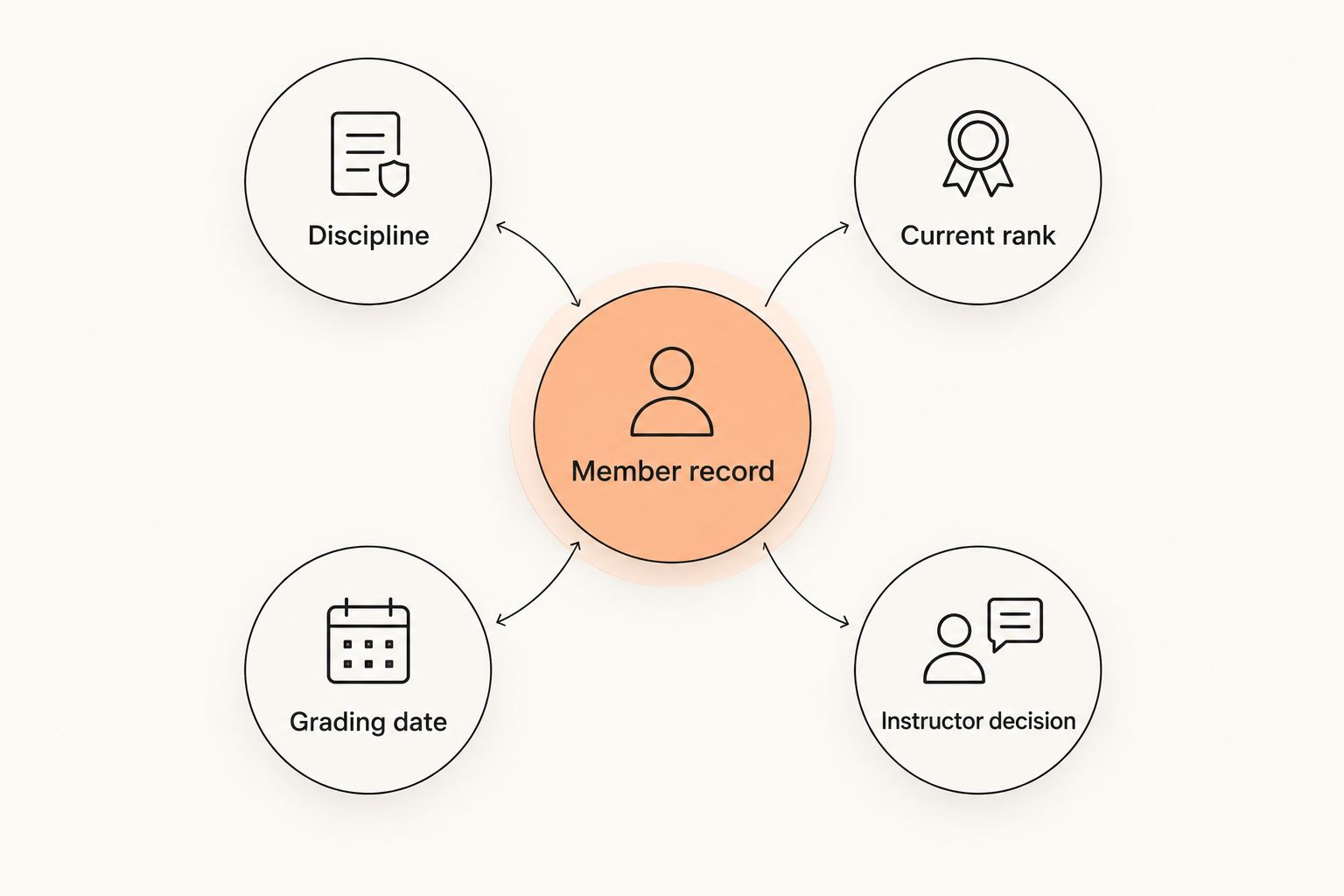
Use a shared grading register first. Record the discipline, current rank, grading date, and instructor decision. Attendance belongs alongside that record, but attendance alone should not stand in for an assessment.
A member training in BJJ and karate needs separate rank histories. A boxing or Muay Thai participant does not need an invented belt field merely to fit the database. Build the record around the discipline your club actually teaches.
MatPilot provides per-art ranks and belt grading. That makes it relevant to clubs teaching more than one martial art, but your instructors still define what promotion readiness means. Do not describe software as awarding a rank or confirming technical competence.
Test the workflow with 3 sample records: a single-art member, a multi-art member, and a member in a class without belt grading. This is a suggested acceptance test, not a product capacity limit.
- Keep each discipline's rank and grading history distinct.
- Record instructor decisions separately from attendance totals.
- Check how corrections to a grading entry are handled.
- Leave rank fields unused where the discipline does not require them.
6. Give follow-ups an owner and an approval step
Start with a shared task list. Separate introductory attendees, members missing sessions, and members with payment issues. Each task needs a responsible person and a reason for contact.
A student who stops attending during exams is not automatically leaving the club. Ask before changing membership status. Likewise, a trial attendee needs information about the next suitable class, not an unrelated grading reminder.
MatPilot's co-pilot supports trial follow-ups, at-risk members, promotion readiness, and payment issues with approval gates. The committee should review the proposed action before approving it. That keeps the operational decision with the club rather than treating a suggestion as an instruction.
Keep messages narrow and useful. State which session, payment, or registration question needs attention. Avoid putting payment details or personal circumstances into group announcements.
- Assign one responsible person to each follow-up task.
- Confirm the reason for contact against the member record.
- Review suggested actions before approving them.
- Keep individual payment and attendance discussions out of group messages.
7. Test the handover before choosing the system
Write a short operating guide while setting up the register. Explain how to add a member, update the timetable, record attendance, review payments, and find grading history. Include where the committee must ask the university for approval.
Run a suggested 30-minute handover exercise with someone who did not build the system. Ask that person to complete ordinary tasks without your help. Record where the instructions fail rather than correcting every mistake verbally.
Then test departure. Identify which accounts belong to individuals, which belong to the club, and how access changes when officers leave. Ask a software supplier to demonstrate its actual access and data-export controls; do not assume those controls exist.
If you are switching from Gymdesk or Kicksite, list the records you need before discussing migration. Verify transfer scope, payment arrangements, and retained history directly. Do not cancel the existing system before checking the destination records.
- Document the steps for routine committee tasks.
- Test access changes for an outgoing officer.
- Confirm export and migration details with the supplier.
- Reconcile member, payment, and grading records before closing the old system.
Compare options for your college club
For a 2026 selection, compare approaches against your actual workload. Do not pick a dedicated platform solely because it has more features. Equally, do not keep a spreadsheet if the committee spends its time repairing conflicting records.
| Option | Best for | Practical strength | Key limitation |
|---|---|---|---|
| University-approved register and shared calendar | New clubs with straightforward administration | Lets the committee define its process before adopting software | Attendance, payments, and grading need manual coordination |
| University membership system plus a club training register | Clubs required to use campus registration | Keeps university registration in its designated system | The committee must reconcile training records with university membership |
| MatPilot martial arts software | Clubs needing connected members, classes, billing, attendance, and per-art ranks | Provides martial-arts-specific records across web, iOS, and Android | University approvals remain separate; confirm access and export requirements before adoption |
Choose the simplest option that keeps your required records consistent. A shared calendar is enough for publishing sessions, but it does not become a grading history or payment ledger. Dedicated software earns its place when those jobs need a connected member record.
During a demonstration, use your own scenarios. Ask the supplier to show a room change, a multi-art member, a failed payment, and a committee handover. A feature name is not proof that your club's process works.
Common mistakes college clubs make
Giving a personal account permanent ownership
An outgoing officer's account is a weak foundation for club continuity. Decide who controls the club's accounts and recovery details. Document the university-approved handover process before the officer leaves.
Treating attendance as grading approval
An attendance total records participation, not an instructor's assessment. Keep the promotion decision explicit. For multi-discipline clubs, preserve separate rank histories rather than one generic belt field.
Starting payment collection before confirming authority
Check the receiving account and authorized decision-makers first. Software can record or collect a payment without settling whether the club is permitted to use that arrangement. Keep financial approval outside the purchase decision.
Using group messages as the permanent record
A timetable change in a chat can be missed or lost during handover. Update the schedule as well as notifying members. Use messages for communication and the designated system for the current record.
FAQ
What's the best martial arts software for a college club?
The best choice is the system that preserves your membership, attendance, payment, and grading records through committee changes. MatPilot fits clubs needing those martial-arts functions together; a university-approved register suits clubs with simpler administration.
Can a college martial arts club start with a spreadsheet?
Yes, a college club can start with a university-approved spreadsheet and shared calendar. Define who updates membership, attendance, payments, and ranks so separate files do not become conflicting records.
Do BJJ and striking classes need separate member systems?
No, BJJ and striking classes do not need separate member systems if the chosen system distinguishes disciplines and sessions. Keep rank histories separate and do not require belt fields for classes that do not use them.
Can gym software replace our university membership system?
Gym software does not replace a required university membership system. Confirm which records the university requires you to keep there, then define how the club's training records will be reconciled.
How should a college club handle failed payments?
Check the payment record before contacting the member about a failed payment. Assign the review to an authorized committee role and follow the university's rules for collection, corrections, and refunds.
What should we check before switching from Gymdesk or Kicksite?
Confirm which member, attendance, payment, and grading records will transfer before switching. Verify the supplier's current migration scope and check the destination records before ending the existing arrangement.
How do we hand software access to the next committee?
Document account ownership, routine tasks, and the approved process for changing access. Test the handover with someone who did not set up the system, and confirm the supplier's actual access controls.
One last thing
Before signing off your 2026 setup, ask the incoming committee to explain one member's position without checking a group chat: registration status, next class, payment status, and grading record. That small test exposes unclear ownership and disconnected records. If the answer depends on the outgoing secretary, the handover is not finished.