Martial arts software for karate schools: complete 2026 guide

Karate school software is a system for managing students, classes, payments, attendance, and ranks with the aim of keeping your dojo’s administration under control. This 2026 guide explains how to evaluate those workflows when children, guardians, adult students, and separate grading requirements share the same school.
- MatPilot is best for karate school owners seeking martial arts management software with approval-controlled assistance.
- Evaluate karate school software through real scheduling, family billing, attendance, and belt grading tasks.
- Keep attendance evidence separate from instructor approval: attending classes does not prove grading readiness.
- Test payment recovery and migration before moving live memberships into a new system.
Why karate school software matters for karate schools
A karate school needs more than a calendar and a list of paid memberships. A child attends class, a guardian handles payment, and an instructor decides whether the student is ready to grade. Those responsibilities belong to different people.
Choose software around those relationships, not around the longest feature list. Your evaluation should follow a student from inquiry through attendance, payment, and promotion. A polished booking screen does not establish that the remaining work is covered.
Start with your actual timetable. The criteria in this martial arts class scheduling software guide belong beside your class list during evaluation, not in a separate research document.
For your 2026 review, write down every place staff currently copy the same information. A guardian’s changed contact details, a student’s new class, and a resolved payment issue should each have a clear record of truth.
Set up and evaluate your school’s workflows
Map your student and guardian records
Begin with a spreadsheet. Give each student a separate row, record the responsible contact, and distinguish enrollment status from payment status. A student who stops attending is not automatically a canceled membership.
Keep household relationships explicit. Sharing an address does not tell you who can authorize changes, receive communications, or settle an account. Ask the school’s responsible administrator to confirm those details before importing records.
Use this inventory as your 2026 migration baseline. Keep a dated copy so you can compare the destination system against the original records instead of relying on memory.
- Separate student details from payer and guardian details.
- Record active, paused, canceled, and trial statuses distinctly.
- Mark duplicate records for review before importing anything.
- Assign a staff member to resolve incomplete information.
Build the timetable around teaching rules
Sketch your weekly timetable on paper before configuring software. Write down which students belong in each class and who decides exceptions. Children’s beginners, adult beginners, and advanced students need clear enrollment rules even when sessions share an instructor.
Test 3 class types: a children’s beginner session, an adult session, and a mixed-rank session. These are evaluation scenarios, not a required school structure. Replace them with your real divisions where necessary.
A timetable passes the test when staff can explain who belongs in a session without opening a separate message thread. Test cancellations and instructor changes as carefully as ordinary bookings.
- Record the age or rank rules for each class.
- Identify who approves movement between class divisions.
- Check how staff record a student attending another session.
- Write the procedure for communicating a canceled class.
Connect administration without surrendering approval
Start manually by assigning an owner to each recurring task: attendance review, trial follow-up, payment review, and grading preparation. A shared checklist establishes responsibility before software changes the process.
MatPilot brings member management, scheduling, attendance, Stripe billing, and per-art rank tracking into the same product. Its co-pilot addresses trial follow-ups, at-risk members, promotion readiness, and payment issues, with the owner approving every action.
MatPilot is best for karate school owners seeking martial arts management software with approval-controlled assistance. The boundary is deliberate: the owner still reviews and approves actions. Do not evaluate that workflow as unattended administration.
Web access and native iOS and Android apps give you different ways to perform the work. Test your actual teaching-day device rather than assuming a desktop demonstration establishes mobile suitability.
- Assign an accountable person to each approval queue.
- Review the proposed recipient, context, and action before approval.
- Test your routine tasks on the device staff actually use.
- Keep an exception list for issues that need a conversation.
Separate attendance from grading readiness
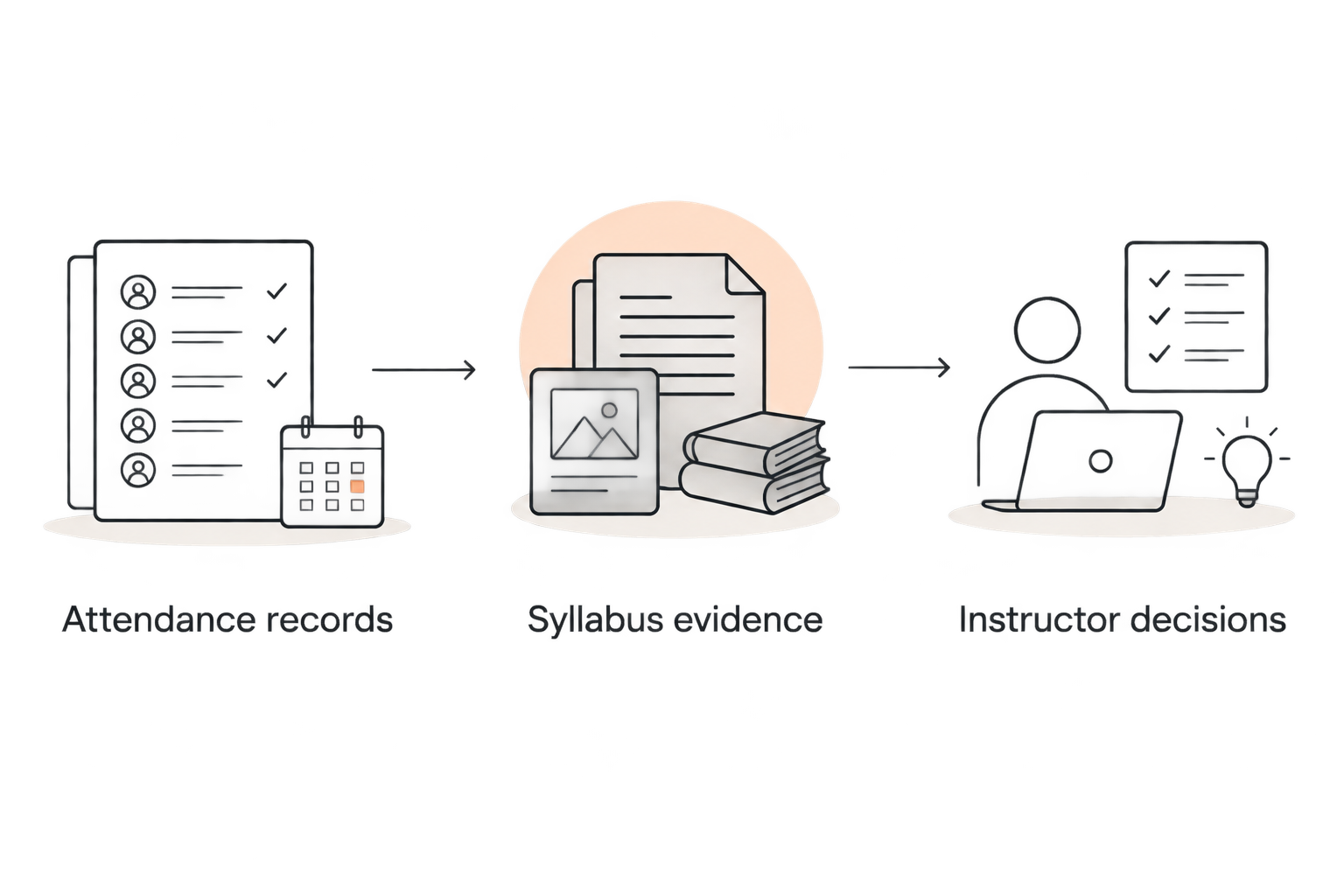
Begin with your syllabus and a dated attendance register. Write down what an instructor needs to see before recommending a student for assessment. Attendance supplies evidence of participation; it does not replace judgment about technique.
Keep rank history intact when a student changes class or training frequency. If your academy teaches karate alongside judo, BJJ, boxing, or Muay Thai, define progression separately for each discipline. Do not force a striking program into another art’s belt structure.
MatPilot supports per-art ranks and belt grading. Test the school’s actual requirements before adopting the workflow, especially where your syllabus needs records beyond rank history.
- Separate attendance records, syllabus evidence, and instructor decisions.
- Preserve promotion dates and previous ranks during migration.
- Identify who can recommend and who can approve grading.
- Check a returning student’s history before changing their record.
The grading decision should follow an evidence review, not a class-count shortcut. Keep the instructor’s approval visible even when software helps identify students for review.
Test household billing with real exceptions
Start with a household ledger. Separate the students receiving instruction from the person responsible for payment, then document what happens when their arrangements change. Do not infer billing rules from a shared surname.
For your 2026 evaluation, use 2 siblings in different classes as a test household. Change the enrollment status of a sibling, change the payer’s contact details, and inspect the resulting records. Use test records rather than altering live family accounts.
Treat family billing as a demonstration requirement, not an assumed capability. Ask the vendor to show your exact arrangement, including the financial effect of a pause or cancellation. A family label alone does not prove the billing behavior you need.
- Identify the payer separately from every enrolled student.
- Document what changes when a sibling leaves the school.
- Verify who receives payment messages and account updates.
- Compare the account record with the payment provider’s record.
Define failed-payment recovery before automating it
Begin with a manual exception list. Record the failed payment, the person responsible for follow-up, the last contact, and the next action. Mark an issue resolved only after checking its current payment status.
Separate a payment problem from a membership decision. A failed transaction does not tell you whether the student intends to leave, whether the payer has changed, or whether staff already agreed to another arrangement.
When comparing payment recovery tools, include setup work and staff ownership in the decision: someone must confirm account access, review the message sequence, and define when follow-up stops. Installing a tool is not the same as establishing a recovery process.
MatPilot combines Stripe billing with approval-gated assistance for payment issues and supports Xero sync. Evaluate the handoff between payment review, owner approval, and accounting rather than assuming every failed transaction needs the same response.
- Review the current payment status before contacting the payer.
- Assign responsibility for unresolved accounts.
- Stop duplicate follow-ups when staff take over a conversation.
- Confirm resolution in the payment and accounting records.
Rehearse the switch before changing live billing
Start with an export and a written migration checklist. Whether you are leaving Gymdesk, Kicksite, another system, or spreadsheets, distinguish student records from payment arrangements. Moving a member list does not establish that billing has moved with it.
Run 1 complete billing cycle as a review boundary before retiring your old administrative records. Inspect what became due, what succeeded, what failed, and which exceptions remain open. This is a checking procedure, not a promised migration duration.
Before your 2026 cutover, assign responsibility for every live payment arrangement. Keep records available for reconciliation while controlling which system can initiate new charges.
- Reconcile active students, classes, ranks, and payer relationships.
- Confirm how each live payment arrangement will continue.
- Check that staff know where to record new changes.
- Resolve duplicate-charge risks before enabling replacement billing.
- Retain the records needed to explain unresolved balances.
Compare your operating options
Choose the operating approach before choosing a subscription. The right comparison is the work each approach covers and the work your staff must still perform.
| Option | Best for | Practical advantage | Key limitation |
|---|---|---|---|
| Spreadsheet and manual register | Owners who want direct control of a simple process | You can define fields and review every change yourself | Staff must reconcile attendance, payments, and grading records manually |
| Separate scheduling and payment tools | Schools keeping an established booking or billing process | You can preserve a workflow that already works | You must define how information passes between tools |
| MatPilot | Karate schools wanting connected martial arts administration with owner approvals | Members, classes, attendance, billing, and per-art ranks sit within the product’s scope | Approval-controlled assistance still requires owner review; test your exact household and syllabus rules |
Keep a manual process if it remains accurate and manageable. Replace it when your evaluation shows that software handles the actual work better, not simply because a demonstration contains more screens.
For separate tools, name the record that takes precedence when information disagrees. For connected software, test exceptions rather than assuming that related features automatically satisfy your school’s rules.
Common mistakes karate schools make
Treating belt color as a complete grading record
A current belt does not explain how a student reached it. Preserve promotion history and the evidence your school needs for future decisions. Review the record of a returning student before assigning that student to an advanced class.
Making the child the billing contact
The student and payer are different roles. Confirm the responsible adult and communication permissions instead of sending financial follow-ups to whichever contact appears first. Apply the same discipline when household arrangements change.
Testing only the easiest class
An ordinary adult class leaves important questions unanswered. Include children’s divisions, rank restrictions, trial attendance, and cancellations in your evaluation. A vendor should demonstrate your exceptions, not just a standard weekly booking.
Switching payment collection without reconciliation
An imported member marked active is not proof of a working payment arrangement. Check the underlying billing status and the old collection setup before enabling replacement charges. Keep unresolved exceptions assigned to a named person.
FAQ
What is karate school software used for?
Karate school software manages administrative work such as student records, scheduling, attendance, payments, and rank tracking. Evaluate how those records connect for children, guardians, adult students, and instructors.
What’s the best way to evaluate karate school software?
Evaluate karate school software by completing your actual administrative tasks with test records. Include a household change, a failed payment, a class cancellation, and an instructor-led grading review.
Can MatPilot manage a karate school rather than a BJJ academy?
MatPilot serves karate schools as well as other martial arts academies. Its stated features include member management, classes, attendance, billing, and per-art ranks; test your karate syllabus and household requirements during evaluation.
Does class attendance prove a karate student is ready to grade?
No, class attendance records participation rather than technical readiness. Keep syllabus evidence and instructor approval separate from attendance totals.
Can I keep using spreadsheets for my karate school?
Yes, you can keep using spreadsheets while the process remains accurate and manageable. Assign responsibility for updates and reconcile student, payment, and grading records consistently.
What should I check before switching from Gymdesk or Kicksite?
Check student records, guardian relationships, class assignments, rank history, and live payment arrangements before switching. Confirm which system controls collection so an imported member record does not lead to duplicate billing.
Should software automatically promote karate students?
The instructor should approve karate promotions rather than treating attendance as an automatic promotion rule. Software can organize the review, but the school remains responsible for its grading decision.
One last thing
Ask to see an exception corrected, not just a record created. Change a student’s class, correct an attendance entry, and resolve a payer mix-up during your evaluation. Those tasks show how you will maintain trustworthy records after the initial setup is over.