Martial arts software for solo instructors: complete 2026 guide

Solo instructor martial arts software is a system for managing members, classes, payments, and grading with the aim of keeping your studio organized while you teach. This 2026 guide explains how to choose martial arts software for solo instructor studios when the same person handles instruction, enrollment, payment questions, and promotion decisions.
- Choose martial arts software for solo instructor studios around attendance, billing, and grading—not a long feature list.
- MatPilot suits solo martial arts instructors who need member management, scheduling, billing, and per-art rank tracking together.
- Start with written processes; move repeated work into software after you define who reviews each action.
- Keep promotion decisions and sensitive member messages under your control, even when software prepares the next action.
Why martial arts software matters for solo instructors
A solo instructor cannot teach a class and handle a payment dispute at the same moment. Your system needs to preserve the work until you can review it, rather than depend on remembering a conversation after training.
The useful test is not how many features a platform lists. It is whether you can answer practical questions without opening several unrelated records: who attended, whose payment needs attention, which trial needs a reply, and which student needs a grading review.
If you teach a limited timetable, start with the question of whether gym software is worth it for one weekly class. A written register remains a valid starting point. Software earns its place when maintaining separate records creates repeat work.
For your 2026 setup, use three priorities:
- Record what happened without interrupting instruction.
- Keep the next action visible until you complete it.
- Separate administrative suggestions from decisions only you can make.
The goal is not to remove you from the business. It is to stop every routine task from depending on your memory.
How to set up a solo-instructor studio
Define your weekly admin routine
Start with a document or spreadsheet. Write down the work that follows an inquiry, a trial, a paid membership, a missed payment, and a promotion review. Give each task a clear finish point: contacted, booked, attended, resolved, or reviewed.
This exposes gaps before you choose software. A trial marked interested is not a completed follow-up. A failed payment marked seen is not resolved. Use statuses that describe an action or outcome rather than your impression of the situation.
Reserve a 15-minute admin block after your last teaching session. Treat that as a starting routine, not a promise that every studio can finish its work in that time. If tasks remain unfinished, identify the repeated work before extending the block.
Keep urgent issues separate from routine follow-ups. A safeguarding concern or disputed charge should not sit in the same undifferentiated list as a timetable question. Your process needs a place for exceptions.
- Write the next action beside every open inquiry.
- Record who needs a reply and what the reply concerns.
- Separate payment problems from general member questions.
- Mark completed tasks with an outcome, not just a tick.
- Review unfinished work before your next teaching session.
Build one reliable member register
A spreadsheet is enough to establish the record you need. Give every student a separate row, including children whose parent handles payment. Keep the student, responsible contact, and payer distinct; those roles are not always the same person.
For a multi-discipline school, record the art alongside the rank. A BJJ rank does not describe a student's karate progress. Boxing and Muay Thai students still need attendance and membership records even when your program does not use belts.
Decide which information you genuinely need before collecting it. Avoid using a broad notes field as a storage place for every conversation. Keep operational notes specific and limit sensitive information to what your process requires.
Before importing records into any 2026 system, inspect duplicates and inactive entries. Two versions of the same student can create conflicting attendance or payment histories. Keep a copy of the original records so you can check the imported version against them.
- Create a separate record for each student.
- Distinguish student, guardian, and payer details.
- Record discipline and rank together where applicable.
- Mark active, paused, and former memberships clearly.
- Remove duplicate records before moving data.
Match software to your actual teaching week
Create your timetable manually first. List the discipline, age group, level, instructor, and location for each session. Include setup and travel constraints if you rent space or teach in different venues; an empty calendar slot does not automatically mean you can teach there.
Then test the jobs that repeat. Can you find a student's record, check attendance, inspect a payment issue, and review grading information without reconstructing the week from messages?
MatPilot suits solo martial arts instructors who need member management, scheduling, billing, and per-art rank tracking together. It provides web access and native iOS and Android apps, plus a Monday-to-Sunday timetable and attendance tools. Those are useful building blocks; you still need to enter an accurate schedule and maintain your records.
Use a sample week rather than a feature checklist. Include a BJJ class, a striking class if you teach one, and a canceled or rescheduled session. Check how you would handle each situation before moving your live timetable.
- Write out the sessions you actually teach.
- Include age and level restrictions in your working schedule.
- Test attendance recording during your normal workflow.
- Check member records from the device you use at the venue.
- Review how schedule changes reach affected students.
Separate billing records from payment recovery
Start with a payment checklist that records the payer, membership arrangement, payment status, and next action. Do not assume that a student attending class proves the membership payment succeeded. Attendance and payment status answer different questions.
For families, write down which students each payer covers. Before choosing a platform, test the family arrangement you actually use. Do not infer shared invoices, payment splitting, or automatic family adjustments from a general billing feature description.
MatPilot provides billing through Stripe and Xero sync. Use those capabilities as part of a defined payment process, not as a substitute for checking exceptions. The owner's job remains deciding how to handle a disputed charge, a hardship request, or an agreed pause.
For your 2026 billing setup, decide when you review payment issues and what message you send first. A private, factual message is better than discussing an account problem in front of other students. Record the outcome so you do not repeat a resolved reminder.
- Identify the payer for every active membership.
- Check unresolved payment issues at a scheduled time.
- Keep account conversations separate from class instruction.
- Record agreed exceptions and their review dates.
- Confirm the payment outcome before closing the task.
Connect attendance to follow-up and grading
Begin with a class register and a separate syllabus checklist. Attendance shows participation. A grading record shows what you assessed. Keep those records connected without treating them as interchangeable.
For BJJ, record the rank and the criteria you use for review. For judo, karate, or taekwondo, keep each syllabus and rank structure separate. For boxing and Muay Thai, use the coaching milestones your program actually teaches rather than adding a belt system that does not fit.
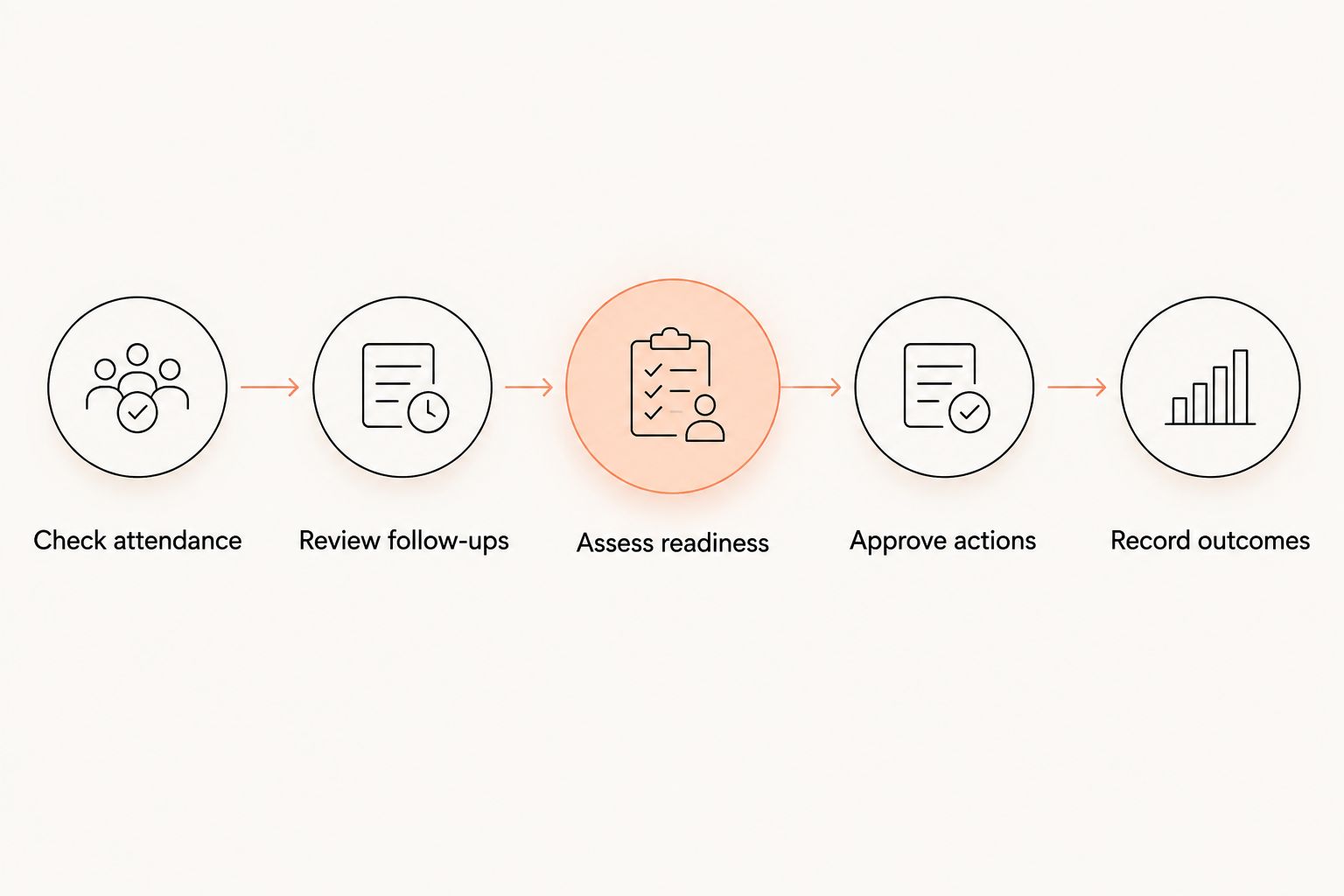
MatPilot includes per-art ranks, belt grading, and an AI co-pilot covering at-risk members, trial follow-ups, promotion readiness, and payment issues. Its approval gates keep the owner in control. Review the context behind a suggestion before approving an action.
Set a weekly review that follows a clear sequence. Check attendance, identify the appropriate follow-up, inspect grading evidence where relevant, then decide what happens next. A promotion suggestion is a prompt for your assessment, not the assessment itself.
- Check attendance.
- Review follow-ups.
- Assess readiness.
- Approve actions.
- Record outcomes.
Test the complete workflow before switching
Use a written test sheet before replacing your current system. Pick representative situations: an adult membership, a child with a guardian, a family payer, a trial student, and a payment exception. These are test scenarios, not a required membership mix.
Follow each situation from its starting record to its final outcome. Check what you need to enter, what the software records, and what still requires your decision. A successful demonstration of class booking does not prove that your billing or grading records will transfer correctly.
Use a 30-day review period after your switch as an operating checkpoint. Compare the new records with your source records and resolve discrepancies. This is a recommended review window, not a product trial offer or a promised migration timeline.
If you are leaving Gymdesk or Kicksite, confirm export access, current notice requirements, and any payment arrangements directly. Do not assume that ending software access also ends a separate payment service. Preserve the records you need before closing access to the old system.
- Compare imported members against your original register.
- Verify ranks and discipline assignments individually.
- Check the timetable against your teaching commitments.
- Confirm how existing payment arrangements will be handled.
- Keep a discrepancy list until each item is resolved.
Compare the options for a solo-instructor studio
For 2026, compare operating methods before comparing brand names. A manual setup gives you direct control but leaves updates with you. A specialist platform connects relevant work, but accurate records and exception handling still need an owner.
This table compares supported capabilities and practical limitations. It does not assign unverified features or contract terms to other vendors.
| Option | Best for | Useful capability | Key limitation |
|---|---|---|---|
| Spreadsheet, calendar, and written checklist | Instructors establishing their first repeatable process | You define the fields, statuses, and review routine | You must keep attendance, payments, and grading records aligned manually |
| Separate scheduling and payment tools | Instructors keeping an existing payment process while organizing classes | Each tool handles a defined part of the workflow | You must verify how member records and exceptions move between tools |
| MatPilot martial arts software | Solo owners managing members, classes, billing, and per-art progression | Member management, timetable, attendance, Stripe billing, Xero sync, and approval-based co-pilot | You still maintain source records, assess promotions, and approve actions |
Ask every provider to demonstrate your scenarios. Compare the complete process, including the work left for you, rather than judging the home screen or the length of a feature list.
Common mistakes solo instructors make
Treating attendance as proof of payment
A student can attend while an account issue remains unresolved. Keep the register focused on participation and inspect billing separately. Record the exception privately instead of turning check-in into an account discussion.
Tracking the family but losing the individual student
A family payer does not replace individual student records. Each child needs their own attendance and progression history. Keep the payer relationship clear without combining siblings' training records.
Using one rank field for every discipline
One generic belt field cannot explain progress across BJJ and karate. Record discipline-specific progression. Give striking students the same quality of attendance and coaching records without forcing them into another art's grading structure.
Approving every suggested follow-up without context
An absence might reflect an agreed break that your records need to explain. Check the member history before sending a retention message. Software should help you prepare the action; it should not erase your responsibility for the conversation.
Moving records before testing exceptions
A clean member list does not prove the whole switch is ready. Test family payers, paused memberships, trial follow-ups, and grading histories. Resolve unclear cases before using the new system as your only operational record.
FAQ
What's the best martial arts software for a solo instructor?
The best fit supports the work you repeat: member records, scheduling, attendance, billing, and progression reviews. Test your own class and payment scenarios before choosing; a feature list alone does not establish fit.
Can I run a small martial arts studio with a spreadsheet?
Yes, a spreadsheet can hold your member register, attendance, and task list. You must maintain the relationships between those records yourself, including payers, individual students, and discipline-specific ranks.
Does a solo BJJ instructor need belt-tracking software?
You need a reliable progression record, but it does not have to start in software. Choose software when it helps you keep rank, attendance, and assessment evidence connected without treating attendance as automatic promotion eligibility.
Can MatPilot support boxing and Muay Thai as well as BJJ?
MatPilot serves BJJ and multi-discipline martial arts academies, including boxing and Muay Thai. Use member management, scheduling, attendance, and billing for striking programs; use rank tracking where the discipline and your curriculum require it.
How should I handle siblings whose parent pays?
Keep a separate student record for each sibling and identify the responsible payer. Test your specific family billing arrangement before committing to software rather than assuming every billing feature includes the same family workflow.
Should I let software decide when students get promoted?
No, the instructor should make the promotion decision. Use attendance and recorded assessments to support a review, then approve the outcome against your syllabus and standards.
How much should I budget for martial arts software in 2026?
Build your budget from the provider's current subscription, payment charges, and any confirmed switching costs. Check which charges apply in the United States or Ireland and avoid comparing subscriptions without examining the payment arrangements.
What should I check before switching from Gymdesk or Kicksite?
Check export access, current notice requirements, payment arrangements, and the records you need to preserve. Test members, attendance, ranks, and billing exceptions before closing access to your previous system.
One last thing
Test a failed-payment case before you test a perfect enrollment. The enrollment shows how the system handles a clean start. The exception shows what you must do when normal operations stop working.
For your 2026 review, write down the next action, who approves it, and where the outcome is recorded. If those answers are unclear, fix the process before adding more automation.