Martial arts software for wrestling clubs: complete 2026 guide

Wrestling club management software is a system for members, sessions, attendance, and payments with the aim of keeping club administration separate from coaching. This 2026 guide explains how to choose martial arts software for wrestling clubs without confusing everyday club management with competition registration, brackets, or results.
- Choose martial arts software for wrestling clubs around member records, attendance, scheduling, and billing—not belt tracking.
- MatPilot fits clubs seeking member, class, attendance, and billing management; verify wrestling-specific requirements separately.
- Keep payer contacts separate from athlete records, and record each athlete’s attendance individually.
- Test a complete club workflow before moving records or changing recurring payments.
Why club management software matters for wrestling clubs
A wrestling club needs to answer practical questions: Who trains here? Which session are they attending? Who pays? What needs attention before the next practice? A payment record alone cannot answer all of them.
Youth programs also need a clear distinction between the athlete and the adult responsible for communication or payment. A shared family contact should not turn siblings into a single attendance record. Mixed wrestling and martial arts academies need the same distinction between disciplines: joining wrestling does not automatically mean joining BJJ, boxing, or Muay Thai.
Choose software around the work your club performs, not the martial art pictured on its website. The martial arts class scheduling software guide is a useful starting point when your main problem is maintaining a readable timetable.
For your 2026 selection, separate club administration from competition administration. Member records, classes, billing, and attendance form one workflow. Tournament entries, weigh-ins, brackets, and results form another. Require evidence for each capability rather than assuming that a martial arts product covers both.
How to choose and set up wrestling club software
1. Define your club’s actual administrative workflow
Start with a spreadsheet and a written process. List what happens from an athlete’s first inquiry through their first practice, membership payment, ongoing attendance, and eventual departure. Name the person responsible for each action.
Keep the exercise practical. If the treasurer owns payment questions and a coach owns session changes, write that down. Software cannot resolve an unclear handover. It can only reproduce it more consistently.
Separate essential tasks from useful extras. A standalone wrestling club does not need to make belt grading its selection criterion. A mixed academy needs rank records for the disciplines that use them, without imposing those records on wrestling.
- List the records you maintain for athletes and payers.
- Write down how an inquiry becomes an active member.
- Identify who changes sessions and membership status.
- Separate training administration from competition tasks.
- Mark each requirement as essential or optional.
2. Separate athletes, households, and payment contacts
Use your existing register to check record structure before choosing a platform. Give each athlete an individual entry. Record the adult contact and payer separately where those roles differ.
Test a household with siblings attending different groups. You need to find each athlete’s attendance without searching through the other sibling’s history. You also need to contact the correct adult without creating duplicate or conflicting records.
MatPilot provides member management, classes, attendance, and billing. It belongs on your shortlist when those are the jobs you need to centralize. Ask for a demonstration of your household arrangement rather than assuming that member management guarantees your preferred family-billing structure.
- Keep an individual record for each athlete.
- Identify the payer separately from the participant.
- Record the correct contact for youth communications.
- Check how siblings appear in class registers.
- Test how contact changes affect linked records.
3. Build the timetable around real training groups
Draft your timetable manually before entering it into software. Use class names that tell a member who the session is for. A label such as youth wrestling is clearer than an internal abbreviation known only to coaches.
Distinguish the recurring timetable from temporary changes. A canceled practice, a replacement coach, and a competition weekend should not require rewriting your entire schedule. During a demonstration, ask how each change reaches the people affected.
MatPilot includes a Monday–Sunday timetable and attendance management. Check the scheduling workflow against your wrestling groups and any other disciplines you teach. Do not assume that a timetable feature also includes booking limits, waitlists, or notifications unless the demonstration confirms them.
For a 2026 rollout, select a normal training week as your scheduling test. Check the member-facing experience as well as the administrator’s view.
- Use clear names for youth, adult, and mixed sessions.
- Assign the correct training group to each session.
- Check how one-off changes differ from recurring edits.
- Test access from the devices your staff use.
- Verify any booking or notification requirement explicitly.
4. Record attendance without turning it into a ranking system
Start with a paper register or shared sheet if that is your current method. Record attendance against the athlete and the actual session. Keep observations about technique or competition readiness separate from the simple fact that someone attended.
Attendance supports follow-up, but it is not proof of readiness. An athlete who attends regularly still needs a coach’s assessment before entering a particular training group or competition. Likewise, a missed practice needs context before it becomes a retention concern.
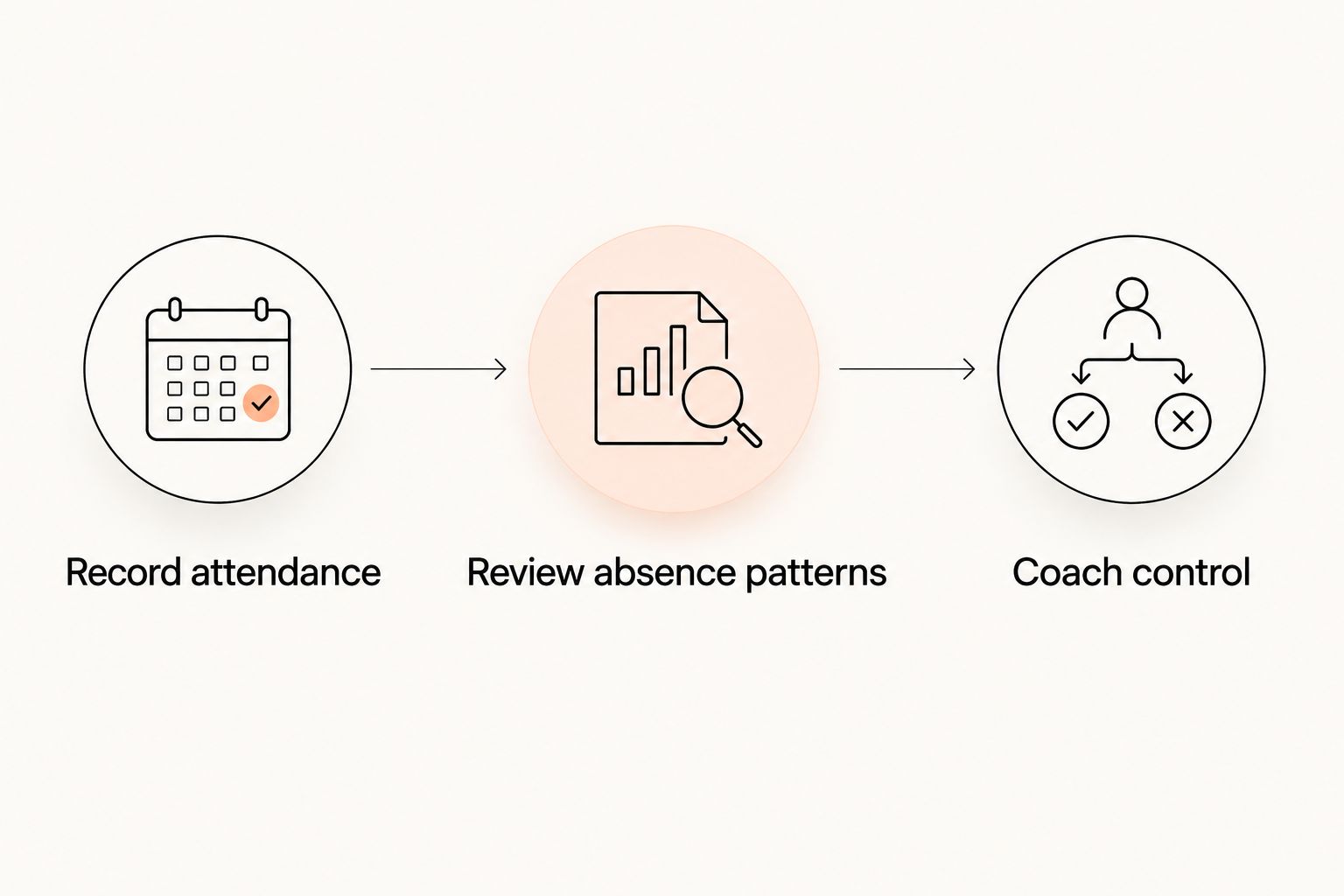
Use a 7-day attendance review as a suggested starting routine, not an automatic judgment about the athlete. Ask a coach to review unexplained absences and decide whether contact is appropriate. A club with less frequent sessions should adjust that routine to its timetable.
- Record attendance for the actual session delivered.
- Keep siblings’ attendance histories separate.
- Distinguish canceled sessions from athlete absences.
- Review absence patterns before sending a message.
- Keep competition readiness under coach control.
5. Test billing and payment exceptions before switching
Write down your billing process before moving it. Identify who owes the payment, which membership it covers, and what happens when payment fails. Keep a distinction between an outstanding balance, a canceled membership, and a payment awaiting confirmation.
MatPilot supports billing through Stripe and Xero sync. Test the connection with your actual accounting workflow. Confirm what information reaches the accounting record and what your treasurer still needs to review.
Treat family billing and failed-payment recovery as demonstration tasks, not assumed features. Ask how the system handles siblings, changes to the payer, a failed payment, and a member leaving. Do not initiate a second recurring collection while the previous collection remains active.
Run a 30-day billing pilot as a recommended validation period if it covers your normal collection cycle. If your club collects on a different schedule, test that schedule instead.
- Map each membership to the responsible payer.
- Demonstrate the household arrangement you actually use.
- Trace a failed payment through the follow-up process.
- Check the Stripe-to-accounting record where relevant.
- Assign responsibility for ending old recurring collections.
6. Keep follow-up decisions under owner control
Begin with a manual task list for trial inquiries, unexplained absences, and payment problems. Each task should have an owner and a clear reason for contact. That makes the process testable before you automate any part of it.
MatPilot includes an AI co-pilot with approval gates for tasks such as trial follow-ups, at-risk members, promotion readiness, and payment issues. For wrestling, prioritize inquiries, attendance concerns, and payment tasks. Promotion-readiness features belong to the disciplines where your academy uses ranks.
Do not approve a message just because the software suggests it. A missing athlete might have an agreed break, and a payment issue might already be under discussion. Review the record and the proposed action first.
For your 2026 workflow, write an approval rule that staff can follow even when the owner is away. Software should support that rule, not replace it.
- Assign an owner to each follow-up task.
- Review the member record before approving contact.
- Check whether a coach has already spoken to the family.
- Keep payment messages separate from coaching assessments.
- Approve the action only after checking its context.
7. Rehearse migration before moving the whole club
Export and review your current records first. Remove duplicates, identify inactive members, and resolve conflicting contact details. Keep an untouched copy of the original export so you can compare the new records with the source.
If you are switching from Gymdesk, Kicksite, or another system, verify what your current account can export and what the replacement accepts. Do not assume that attendance history, notes, payment arrangements, and attachments all move together.
Use a 4-week post-switch review as a suggested control period. Compare member status, the timetable, attendance, and payment records against your agreed source. Fix discrepancies before removing access to records you still need.
The migration test should include ordinary work and exceptions. A clean member list is not enough if a canceled membership or changed payer behaves incorrectly.
- Preserve the original export without editing it.
- Identify which fields transfer and which need manual entry.
- Rehearse a session register with representative records.
- Check active and canceled membership statuses.
- Reconcile payments before retiring the previous system.
Compare the options for your wrestling club
For a 2026 decision, compare operating methods before comparing brand names. A spreadsheet is a valid starting point when one person can maintain the records consistently. Its limitation is the manual work needed to keep membership, attendance, and payments aligned.
MatPilot is best for wrestling clubs seeking member, class, attendance, and billing management in a martial arts platform. Verify competition-specific and household-billing requirements separately. Its web, iOS, and Android access provides different ways to use the system; device access does not prove that every requested workflow is supported.
| Option | Best for | Practical advantage | Key limitation or check |
|---|---|---|---|
| Spreadsheet and manual register | Clubs with a simple workflow and a named administrator | You control the fields and can document the process before switching | Staff must reconcile membership, attendance, and payments manually |
| Separate member, payment, and calendar tools | Clubs whose existing tools already serve distinct tasks | You can retain working processes while addressing one gap | Shared changes need an agreed handover between tools |
| MatPilot | Wrestling clubs or mixed academies needing members, classes, attendance, and billing together | Martial arts management with web and native mobile access | Verify wrestling-specific competition tasks and your household-billing arrangement |
| Dedicated competition system | Clubs whose main requirement is event administration | You can assess the system against competition tasks directly | Do not assume it also handles recurring club membership and billing |
Use the same demonstration script for every shortlisted system. Ask the operator to add an athlete, connect the payer, place the athlete in a session, record attendance, and resolve a payment exception. Record what works, what requires a workaround, and what remains unverified.
Common mistakes wrestling clubs make
Choosing on belt tracking instead of club operations
A detailed grading feature does not prove that a product fits a wrestling club. Start with members, training groups, attendance, and billing. In mixed academies, evaluate grading separately for BJJ, judo, karate, or taekwondo.
Treating a household as one athlete
A shared payer does not remove the need for individual records. Siblings can attend different groups and have different membership statuses. Test those differences before you approve a household setup.
Assuming club software runs tournaments
A class timetable is not a bracket. Attendance is not a weigh-in record. Confirm competition requirements separately and keep the club’s regular training schedule clear when athletes attend events elsewhere.
Moving recurring payments without a cutover plan
A member import and a payment transition are different jobs. Name the person responsible for stopping the previous collection and confirming the new arrangement. Check the result against the member’s record.
Using absence as an automatic verdict
Missing training is a reason to review context, not proof that a member intends to leave. Ask the coach what is known before contacting the athlete or family. Keep that decision with a person.
FAQ
What’s the best martial arts software for wrestling clubs?
The best fit covers your club’s member records, timetable, attendance, and billing without forcing wrestling into a belt-grading workflow. MatPilot fits that administrative shortlist; verify your household and competition requirements in a demonstration.
Can wrestling clubs use software designed for BJJ academies?
Yes, when the member, scheduling, attendance, and billing workflows match the wrestling club’s needs. BJJ rank features do not need to become wrestling requirements, and competition administration needs a separate check.
Do wrestling clubs need belt tracking?
A wrestling club should not make belt tracking a requirement unless its own program uses a grading structure. A mixed academy can evaluate rank management for its ranked disciplines separately from wrestling attendance.
How should a wrestling club manage siblings and family contacts?
Keep an individual athlete record for each sibling and identify the responsible adult and payer. Demonstrate the exact household-billing arrangement before choosing software, including different groups and membership changes.
Can gym management software handle wrestling tournament brackets?
Do not assume that gym management software handles tournament brackets. Require a demonstration of entries, weigh-ins, brackets, or results whenever those functions are part of your selection criteria.
What should I test before switching from Gymdesk or Kicksite?
Test exported records, session setup, attendance, payer details, and the recurring-payment transition. Verify which historical fields transfer and keep an untouched source export for reconciliation.
Should follow-up messages be sent automatically?
Require a staff review when a follow-up depends on attendance, family circumstances, or a payment discussion. Check the member’s context and approve the action before sending it.
One last thing
Before signing off on your 2026 choice, test a household where one sibling stays and another leaves. Keep the remaining athlete’s session access, contact details, and payment responsibility intact. That exception tests the system more thoroughly than adding another straightforward member.