Help Center › Classes & Scheduling
Planning your mat layout
The only question that matters at the flooring store: how many mats do I actually need?
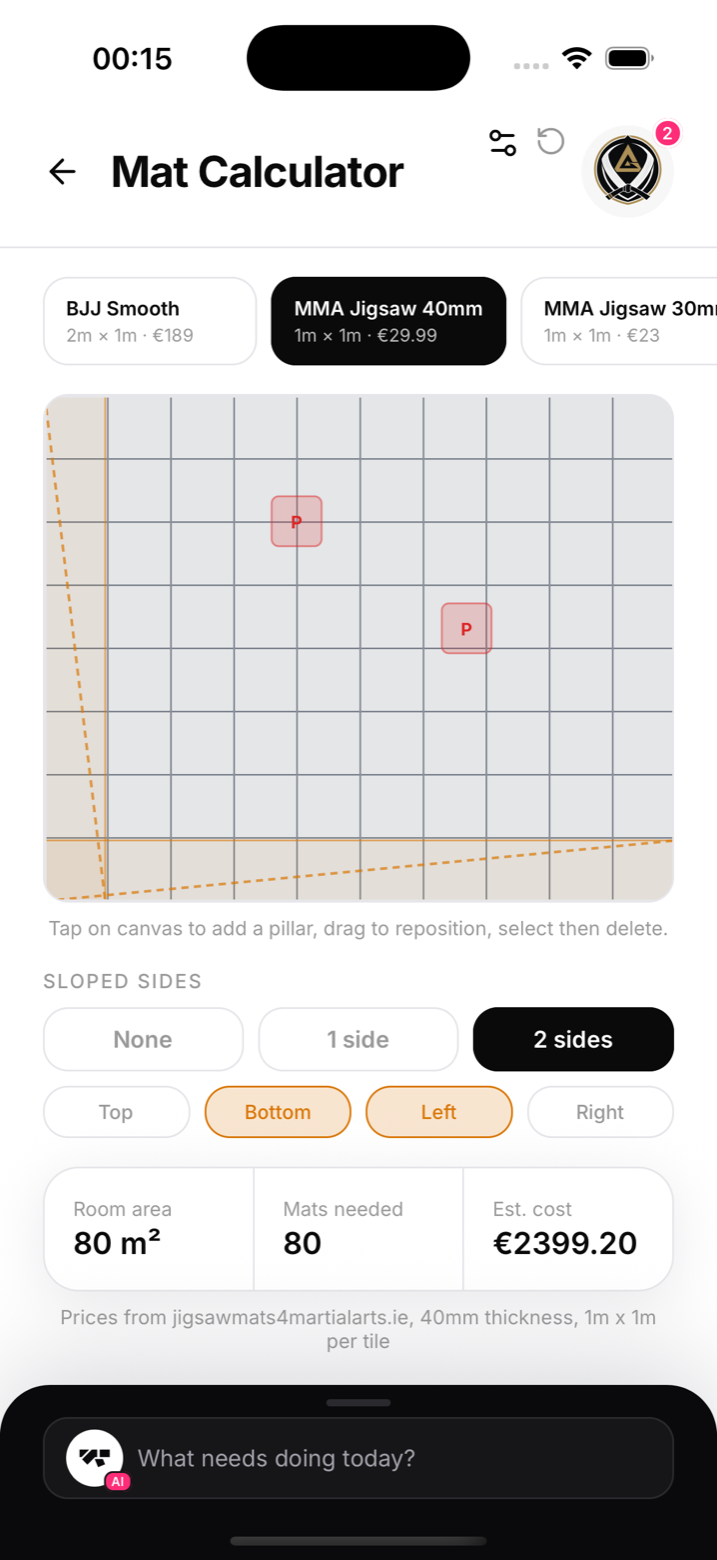
Use the calculator
- On a computer, open search (the magnifying glass at the top, or Ctrl K, ⌘K on a Mac), type Mat Calculator and open it. The phone app has no menu entry for it
- Enter the room's dimensions
- Tap the canvas to add pillars, drag them to match where they really stand, select one to delete it
- Mark sloped sides (one or two walls, any side) if your room isn't a clean rectangle
The calculator draws the room and returns the mat count for the usable area, accounting for the obstacles you placed.
Why it's in a gym app
Because the alternative is graph paper. Every serious academy eventually re-mats or expands, and mats are expensive enough that over-ordering by 10% hurts. Sketch the room once, get the number, order with confidence.
Notes
- Each side has a maximum length; if your room is bigger, split it into sections and calculate each
- The result is a count of standard mats; check your supplier's exact dimensions before ordering