What members see at the kiosk
The welcome screen
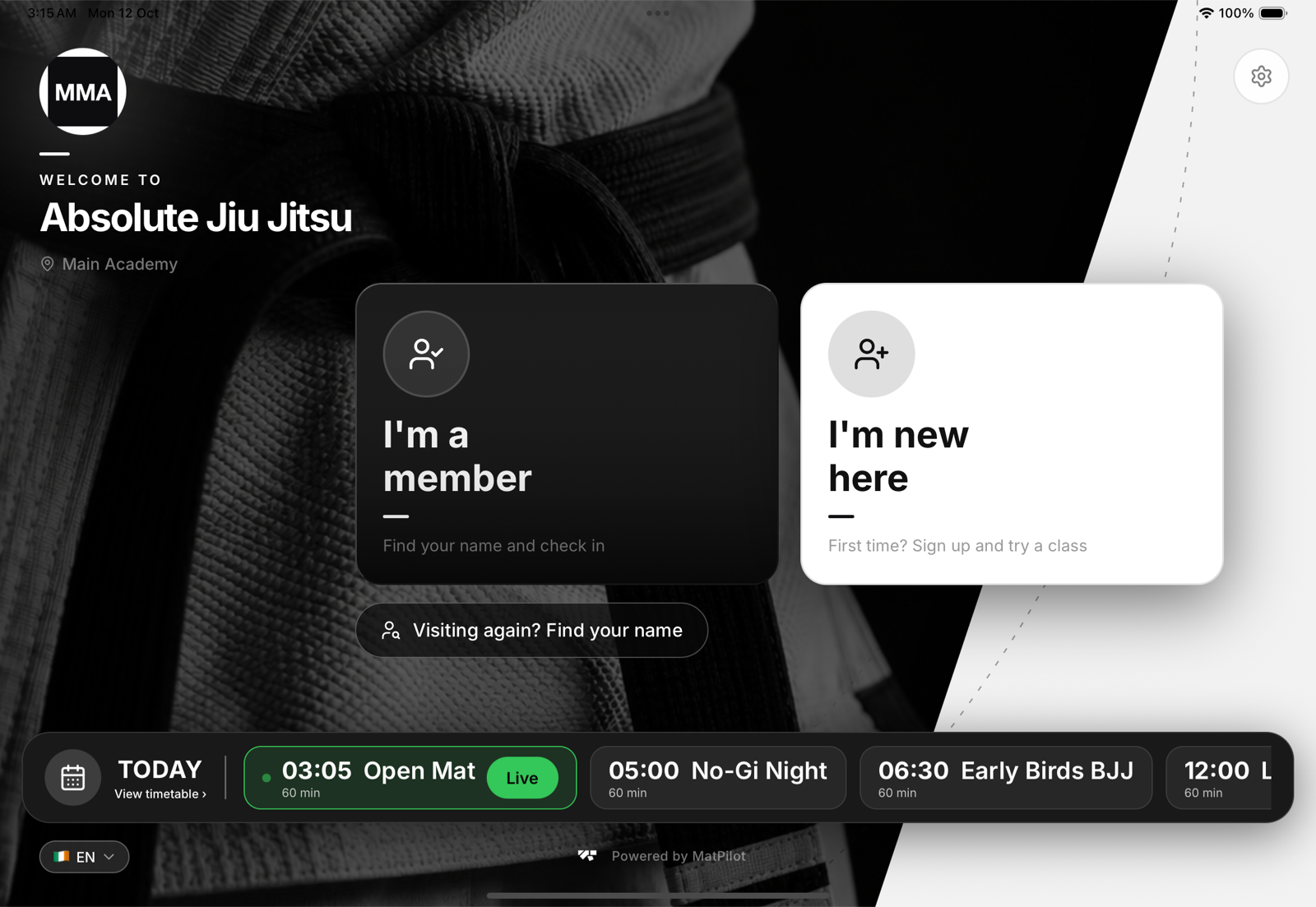
Your logo and academy name over your photo, and two cards nobody can miss: I'm a member to check in and I'm new here to sign up. Under them, Visiting again? Find your name is for drop-ins who came before. See Returning visitors at the kiosk.
Today's classes
The bar along the bottom lists the rest of today. The class in session carries a Live badge, and View timetable opens the week. When today's classes are over, it shows the next day that has classes.
Language
The flag in the corner switches the kiosk's language for the person in front of it. A minute after they leave, it goes back to the tablet's own language.
Offline
A small Offline badge appears when the tablet loses its connection. Members carry on as normal. See When the kiosk loses its internet connection.
What members never see
No payments, no member list beyond the name search, no settings. The gear icon only leads to a staff code. See Kiosk security and access codes.