Joining your gym: what members do
1. The invite lands
When you add a member, they get an email invitation. It carries a download link and, where needed, an invite code that connects them to your gym specifically.
2. First sign-in
They install MatPilot, set a password, and land directly in your academy: your name, your logo, your schedule. There's no generic app to wander; the gym is the app.
3. Paperwork before training
If you require waivers, they're presented at first sign-in (or at the kiosk on their first visit). Nobody trains past an unsigned document.
4. Day-to-day
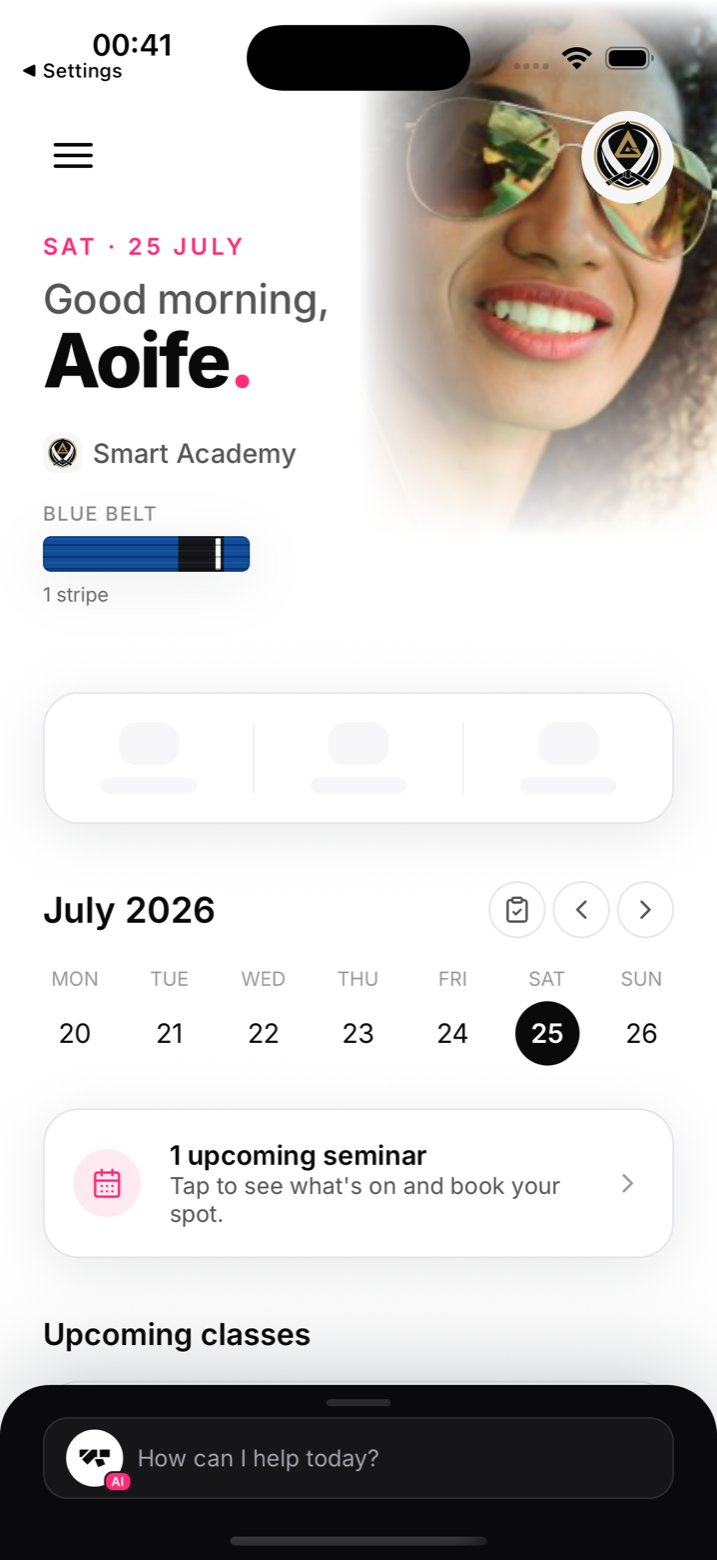
Home shows their belt, their gym, the calendar, and anything they can act on: book a class, check in, watch videos if you sell them, track their grading progress.
Helping a stuck member
Most "I can't get in" cases are the invite email in spam or a typoed address; resending the invite from their profile fixes both. For the rest, see I can't sign in.