Kicksite alternatives for martial arts gyms in 2026

Kicksite is built for martial arts school management, with belt testing and kiosk check-in among its features. The ceiling to test is whether your current setup connects attendance, grading, payment issues and member follow-up in the way your academy needs. For kicksite alternatives in 2026, choose MatPilot for martial arts management with an approval-based co-pilot; shortlist Gymdesk for another martial-arts-focused platform or Mindbody when its marketplace is part of your acquisition plan.
- MatPilot is a Kicksite alternative for martial arts gyms that want billing, scheduling, grading and approval-based follow-up.
- Compare kicksite alternatives through real academy workflows, not feature-list length.
- Shortlist Gymdesk for a martial-arts-focused comparison; consider Mindbody when its marketplace matters to your business.
- Stay with Kicksite when your existing workflows work and switching would create unnecessary disruption.
Why this matters
Replacing gym software changes more than your timetable. You must account for member records, attendance history, ranks, payment arrangements and staff habits. A cleaner dashboard is not enough to justify that work.
Your 2026 shortlist should answer a specific question: which system removes the manual handoff that causes trouble at your academy? That handoff might sit between a missed class and a follow-up, a failed payment and an owner review, or attendance evidence and a grading decision.
Write down the broken process before choosing its replacement. You will get a more useful demonstration when you ask a vendor to complete an actual task rather than tour every menu.
Kicksite alternatives at a glance
This comparison separates each platform's positioning from the work you should inspect. It does not treat a feature name as proof that the workflow fits your school.
| Platform | Best for | Standout feature or focus | How it differs from Kicksite |
|---|---|---|---|
| Kicksite | Schools whose existing martial arts workflows already work | Belt testing and kiosk check-in | The baseline: compare replacements against your current process |
| MatPilot | BJJ and multi-discipline academies wanting approval-based assistance | Co-pilot for member follow-up, promotion readiness and payment issues | Adds an owner-approved assistance layer alongside members, classes, billing and grading |
| Gymdesk | Owners seeking another martial-arts-focused management option | Martial arts member management | Provides another platform to evaluate against the same academy tasks |
| Mindbody | Owners evaluating a fitness marketplace as part of acquisition | Consumer marketplace | Adds a marketplace consideration to the management-software decision |
Use the same demonstration brief for every platform in 2026. Otherwise, you compare one vendor's polished scheduling tour with another vendor's billing explanation and learn little about either.
1. MatPilot: best for owner-approved operational follow-up
MatPilot is martial arts gym management software for owners who want billing, scheduling, attendance and grading alongside approval-based assistance. It supports member management, per-art ranks, Stripe billing, Xero sync and website building tools. Access is available through the web and native iOS and Android apps.
MatPilot is a Kicksite alternative for martial arts gyms that want operational assistance while retaining approval control. The practical distinction is the approval gate: review the proposed action before it happens.
Where this alternative shines
- Member follow-up: the co-pilot addresses at-risk members and trial follow-ups.
- Grading decisions: per-art ranks and promotion-readiness assistance keep martial arts progression part of the management workflow.
- Payment administration: Stripe billing, payment-issue assistance and Xero sync connect collection with accounting work.
- Mixed disciplines: the platform serves BJJ, judo, karate, taekwondo and MMA academies rather than treating grading as unrelated administration.
Where this alternative falls short
- Approval gates still require an owner to review actions. They are not a substitute for someone making decisions.
- A move still requires checking existing member, rank and billing records against the replacement setup.
- Stripe billing and Xero sync do not remove the need to confirm that your academy's payment and bookkeeping processes fit.
Those trade-offs matter. If you want to keep every current process unchanged, a replacement platform creates work before it creates value.
Head-to-head with Kicksite
| Dimension | This alternative | Kicksite comparison task |
|---|---|---|
| Operational assistance | Co-pilot with owner approval gates | Demonstrate how staff handle the equivalent follow-up today |
| Grading | Per-art ranks and promotion-readiness assistance | Compare with your belt-testing workflow |
| Attendance | Attendance within gym management | Compare with your kiosk check-in process |
| Billing and accounting | Stripe billing and Xero sync | Trace a payment through your current accounting process |
Best for: owners who want assistance with member and payment follow-up without handing over decision authority.
Verdict: shortlist. Ask for a demonstration that starts with a member problem and ends with an owner-approved action.
2. Gymdesk: best for another martial-arts-focused comparison
Gymdesk belongs on a shortlist when you want to compare another martial arts management platform with Kicksite. Keep the evaluation narrow. Ask it to reproduce the tasks your staff perform during a normal teaching week.
Where Gymdesk shines
- Its martial arts focus makes it relevant to an academy-management comparison.
- It gives you another option to assess against member administration, grading and class workflows.
- A direct comparison can reveal whether your problem comes from the current platform or from how your academy configured its process.
Where Gymdesk falls short
- A different platform does not fix inconsistent attendance recording or unclear promotion criteria.
- Switching requires staff to learn the replacement workflow and check transferred records.
- A successful member-management demonstration is not proof that your billing or accounting requirements are satisfied.
Gymdesk versus Kicksite: what to inspect
| Dimension | Gymdesk demonstration | Kicksite baseline |
|---|---|---|
| Member administration | Reproduce an existing member update | Record the steps staff currently take |
| Grading | Demonstrate your promotion criteria | Use the same student's belt-testing record |
| Class operations | Demonstrate your actual class arrangement | Compare against your current timetable and check-in process |
Best for: academy owners seeking a second martial-arts-focused option without changing the evaluation criteria.
Verdict: shortlist. Select Gymdesk only after the demonstrated workflow resolves the specific problem behind your search.
3. Mindbody: best for a marketplace-led evaluation
Mindbody adds a different question to the shortlist: does a consumer marketplace belong in your acquisition process? That is a separate decision from whether staff can manage attendance, payments and martial arts progression effectively.
Where Mindbody shines
- Its marketplace gives you an acquisition channel to evaluate alongside administration.
- It offers a useful comparison when your business includes broader fitness services as well as martial arts.
Where Mindbody falls short
- Marketplace access is not evidence that prospects will become paying academy members.
- A booking demonstration does not establish a fit for your rank structure or grading process.
- Adding an acquisition channel still requires you to manage enquiries, trial attendance and follow-up.
Best for: owners whose selection process explicitly includes a consumer marketplace.
Verdict: hold until both the marketplace role and the academy-management workflow make sense for your business. Do not replace a working martial arts system solely because another platform has a broader consumer presence.
Why people switch from Kicksite
A useful switching decision starts with a task your current setup does not handle satisfactorily. It should not start with an assumption that another platform is better at everything.
Treat these as questions to answer at your academy, not claims that Kicksite lacks particular capabilities:
- Follow-up: are staff manually assembling attendance, trial and payment information before contacting a member?
- Grading: can instructors find the evidence they need before approving a promotion?
- Billing: does someone repeatedly reconcile payment issues across separate records?
- Scheduling: can staff explain the timetable clearly across disciplines and age groups?
- Owner control: can you review an action before a system carries it out?
If the current system already supports the task, check configuration and staff practice first. Switching software to solve a training problem moves the same problem into a new interface.
Run the same five workflow checks
For your 2026 evaluation, use 5 workflow checks: attendance, grading, family billing, payment recovery and trial follow-up. Prepare anonymized examples from your academy and ask each vendor to work through them.
Attendance
Use a timetable covering 7 days. Include overlapping classes if you teach them, and ask staff to record attendance and then find the member's history. Check the process from both the instructor's and the administrator's perspective.
Grading
Use a student training in 2 disciplines. Ask the vendor to show how the student's rank and promotion evidence remain distinct for each art. Your BJJ progression should not obscure a karate rank or replace a coach's judgment.
Family billing
Use 1 household with children attending different classes. Ask how the billing arrangement, payer and individual member records connect. Inspect the process rather than assuming that a family label guarantees the arrangement you need.
Payment recovery
Present an unresolved payment issue. Ask who sees it, who decides the next action and how staff confirm the outcome. Follow the accounting record as well as the member record.
Trial follow-up
Present a trial attendee who has not joined. Ask how staff identify the person, review attendance and prepare the next contact. Check whether an owner reviews the action before it happens.
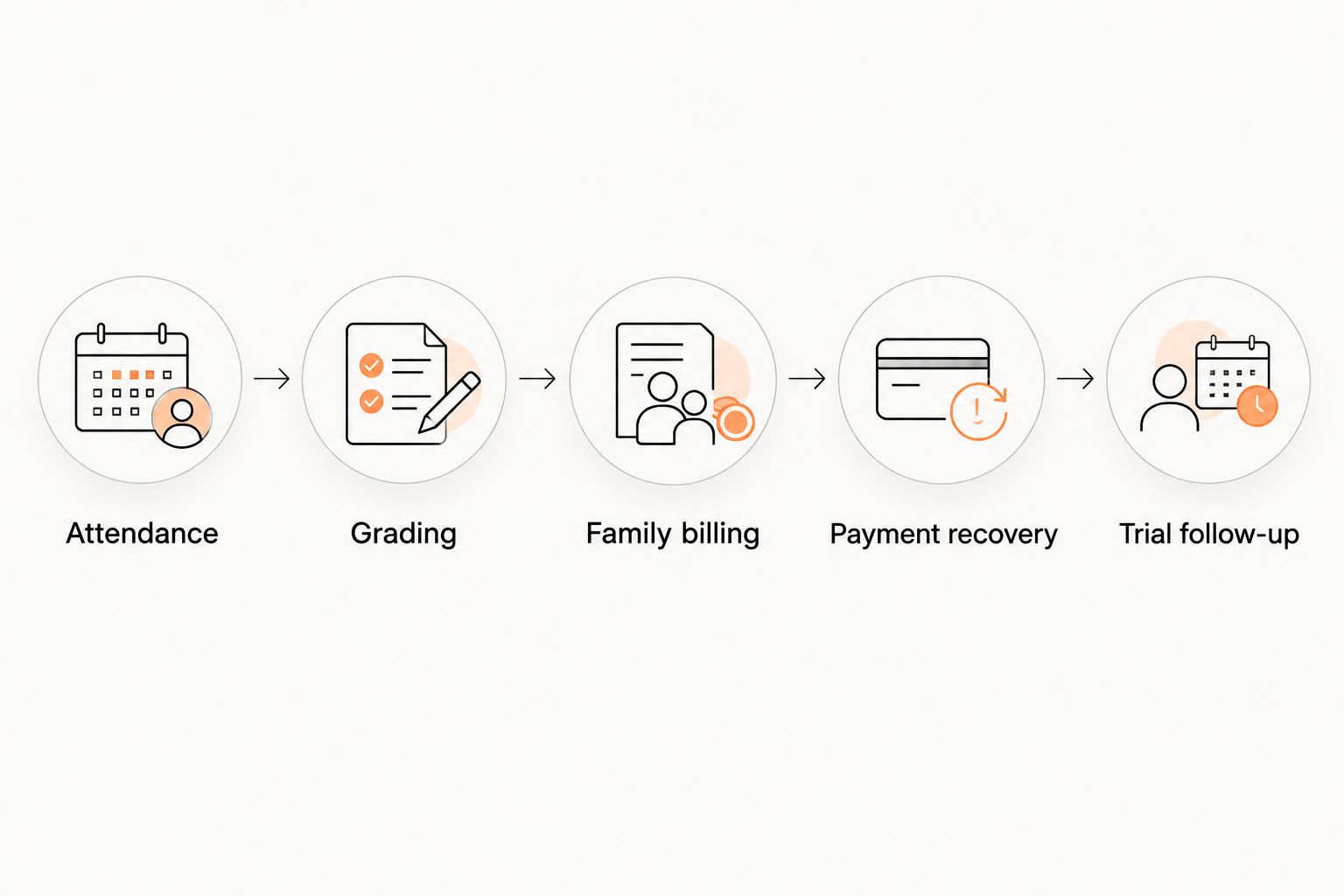
After each demonstration, record what staff actually did. Note repeated data entry, separate handoffs and decisions that still need an owner. That record is more useful than a checklist full of feature names.
Plan the switch before ending the old setup
A 2026 migration should have a clear acceptance check. Do not make cancellation the first step. Establish which records you need, how the replacement will handle them and who signs off on the result.
- Member records: check active members, household relationships and contact details.
- Class records: check the timetable, attendance history and discipline assignments.
- Grading records: check ranks and the evidence instructors use for promotion decisions.
- Billing records: check payer relationships, payment arrangements and unresolved balances.
- Staff access: confirm who can view records, make changes and approve actions.
Ask the receiving vendor which records transfer and which require manual work. Do not assume that an exported spreadsheet recreates the full operating history of your academy.
Then rehearse a teaching day. Have staff find a member, record attendance, inspect a grading record and address a payment question. Finish the switch when those tasks work, not merely when the new account opens.
When staying with Kicksite is the right call
Stay with Kicksite when your staff can complete the important workflows and the system supports your academy's current needs. Familiarity has practical value: instructors know how to check students in, administrators know where records live, and owners know how to resolve exceptions.
For 2026, compare the work of switching with the work you expect to remove. If you cannot name the process that improves, keep the current system and fix the process first.
FAQ
What's the best Kicksite alternative for a BJJ academy?
MatPilot is a strong fit for BJJ academies seeking members, classes, billing, grading and approval-based operational assistance. Use an actual attendance, promotion or payment problem to test the workflow before choosing.
Is Gymdesk better than Kicksite for martial arts schools?
Choose between Gymdesk and Kicksite by comparing the tasks your academy needs to complete. Demonstrate the same member update, grading decision and class workflow in each system rather than relying on feature-list length.
Should a martial arts gym consider Mindbody?
Consider Mindbody when its consumer marketplace is part of your acquisition plan. Separately verify that the management workflow fits your classes, rank structure and member administration.
Can I manage multiple martial arts in the same system?
Choose a system that keeps each member's per-art ranks clear. Test a student training in two disciplines and ask staff to find the correct progression record for each.
What should I check before switching from Kicksite?
Check member records, attendance, ranks, billing arrangements and staff access before switching. Ask which records transfer and rehearse a teaching day in the replacement system.
How do I compare family billing between gym platforms?
Demonstrate one household with multiple members and inspect how the payer connects to each member record. Confirm your intended billing arrangement rather than assuming every family-billing feature works the same way.
When should I stay with Kicksite instead of switching?
Stay with Kicksite when it supports your important workflows and staff can use it effectively. Fix configuration or training problems before taking on a migration.
One last thing
Ask the instructor who records attendance to participate in the decision. Then ask the person who resolves payment issues. They encounter the handoffs that an owner-only demonstration can miss.
MatPilot belongs on your shortlist when approval-based assistance addresses those handoffs. A software switch earns its place by changing the work your academy does, not by changing the screen your staff opens.